1
Chapter 9
Managing Routing
This chapter explains the routing options of the Cajun M770 ATM Device. It
includes the following sections:
• Managing the Static Routes Table
• Managing PNNI (Private Network-Network Interface)
Managing the Static Routes Table
The Static Routes Table provides information about all routes in the Cajun M770
ATM Device database.
In the Static Routes Table you can:
• View the ports associated with an ATM address.
• View the origin of the routing entry.
• Update the routing table.
Viewing the Static Routes table
To view the Static Routes Table:
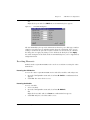
1 Click
.
OR
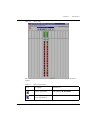
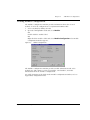
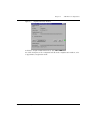
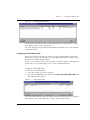
Open the Configuration menu and select Static Routes. The Static Routes Table
appears.
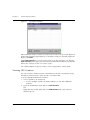
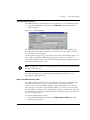
Figure 9.1
Static Routes Table
The Static Routes Table provides information on static routes, such as port, address
prefix, origin, and status.
Cajun M770 ATM Manager User’s Guide
41