1
Browser
Fast Scrolling
Press and hold
to quickly
move the cursor up and down
on the current screen.
Soft Keys
The Left Soft Key
is used
primarily for first options or
selecting an item, but its
function may change depending
on the content displayed.
Clearing Out Text/Numbers
Entered
When entering text or numbers,
press
to clear the last
number, letter, or symbol. Press
and hold
to clear the input
field completely.
The Right Soft Key
is used
primarily for secondary options
or a menu of secondary options.
Initiating a Phone Call From
Web
Entering Text, Numbers, or
Symbols
You can make a phone call from
Web if the site you are using
supports the feature.
The Browser connection is
terminated when you initiate the
call. After you end the call, your
phone returns to the screen
from which you initiated the call.
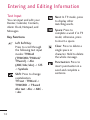
When prompted to enter text,
the current text entry method
appears above the Right Soft
Key
as abc, Sym, 123,
etc. To change the input mode,
36
press the Right Soft Key
.
To change to upper case, press
.