1
Monitor standby
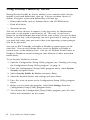
Windows 98 provides a monitor energy saving feature. If your monitor supports this
function (see your monitor documentation for information), perform the following
steps to set the power saving features of your monitor.
1. Click on the Start button on your desktop.
2. Select Settings, then click on Control Panel.
You can also double-click on the My Computer icon to display the My
Computer window. Double-click on the Control Panel icon.
3. From the Control Panel window, double-click on the Display icon to show the
Display Properties window.
4. Select the tab Screen Saver.
5. On the lower section where you see Energy saving features of monitor, click
on the Settings... box. The Power Management Properties window opens.
6. Specify the number of minutes before the monitor enters standby or
completely shuts off, and then click on OK.
When the monitor is in standby, press any keyboard key or move the mouse to take
the monitor out of standby.
5-6
IBM Personal Computer User Guide