1
TM-P60 Technical Reference Guide
Appendix E
FAQ
Q 1. Can I use the TM-P60 in the Ad-Hoc mode?
A 1.1 The TM-P60 supports the Ad-Hoc mode for the first setup only.
The TM-P60 changesthe network mode to “Infrastructure“ automaticaly when any wireless
LAN setting is changed (IP address, SSID, WEP key, etc...)
When you are using the TM-P60 in Ad-Hoc mode, there are some products that can’t
communicate with the TM-P60. Therefore, please use the TM-P60 in the Infrastructure mode.
Q 2. Buzzer sounds when the TM-P60 is turned on. What should I do?
A 2.1 Confirm whether the POWER LED is flashing slowly or not
When TM-P60 is turned on, it searches for an access point for wireless communication when
TM-P60 is in infrastructure mode. (In Ad-Hoc mode, TM-P60 serches for an host PC which is in
Ad-Hoc mode) If the TM-P60 is out of wireless communication range, the POWER LED flashes
slowly and the buzzer sounds. In this case, try following items.
❏ Confirm the wireless LAN settings of the TM-P60 and the access point. (Ex. SSID, IP
address, submet mask, WEP key etc..) The TM-P60’s self test shows you the current settings
except WEP key. See “Self test mode” (page 3-3) for procedure of self test.
❏ There is no access point or PC in the range where the communication is possible. When there
are obstructions between the AP or PC and the TM-P60, move the TM-P60 and confirm that
the LED does not flash.
A 2.2 Confirm whether the ERROR LED lights or flashes
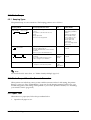
The TM-P60 beeps when error occurs depending on the memory switch setting. Confirm the
error cause, and see “Beeping Types” (page 3-2).
Q 3. How to set the buzzer not to sound.
A 3.1 Change Memory switch setting.
The buzzer does not sound if the Memory switch setting is changed. About memory switch, See
“Memory Switches” (page 2-11).
Q 4. BATT LED lights or flashes. What should I do?
A 4.1 There is no remaining battery charge.
You can confirm the remaining battery charge by the BATT LED condition. (See “About the
Battery Remaining Amount” (page 4-2))
About procedure for battery charging, see “Charging the battery” (page 2-9).
Rev. D
FAQ E-1