1
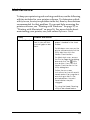
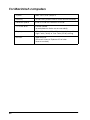
Where to Find Information
Setup Guide
This guide will help you set up and begin using your printer. It
includes information on setting up your printer and installing the
printer software.
Photo Print Software Setup included on the CD-ROM
This guide provides information on installing EPSON
PhotoQuicker, EPSON PhotoStarter and EPSON CardMonitor. It
also contains uninstalling and system requirements.
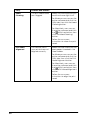
Daily Use guide
This guide provides information on normal printer operation. It
also contains troubleshooting tips and customer support
information.
PhotoQuicker User’s Guide
Included on the printer software CD-ROM, this guide provides
basic information on using the EPSON PhotoQuicker utility to
print your photo data. It also contains troubleshooting tips.
Reference Guide included on the CD-ROM
The Reference Guide contained on the CD-ROM included with
your printer provides detailed information about printer software
settings, printing on special paper, maintenance, and problem
solving.
To open the Reference Guide, insert the printer software CD in the
CD-ROM drive.
For Windows, select Online Guide in the Installer dialog box and
click
. Then, click View Reference Guide to open the guide.
For Macintosh, double-click the Online Guide icon in the EPSON
window and then the Online Guide icon. Then, click View
Reference Guide to open the guide.
Note:
It is possible to install the Reference Guide on your hard disk. See “For
Windows” or “For Macintosh” in your Setup Guide for instructions.