1
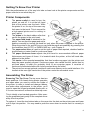
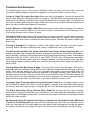
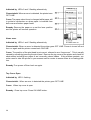
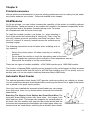
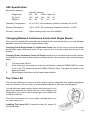
The printer is mounted on a printer stand allowing your supply of forms to sit below the printer
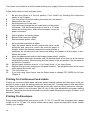
Follow these steps to load multi-part forms.
1
2
3
4
5
Be sure the tractor is in the pull position, if not, install it by following the instructions
earlier in this Chapter.
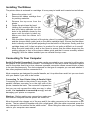
Turn the printer off before loading the forms from the bottom.
Remove the top cover.
Set the printer on its rear side.
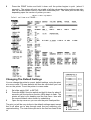
Insert the forms through the slot in the bottom of the printer,
see below. Pull the forms through so that 4 or 5 inches
extend out of the printer. Make sure the paper covers the
paper out sensor.
A
B
C
Printer position for loading paper
Bottom feed continuous paper
Recommended printer stand
6
7
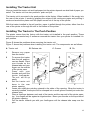
Set the printer right side up again.
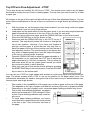
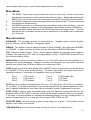
Open the tractor feeder covers, position the forms on the
sprockets and close the covers. Be sure the paper is
straight. Adjust the distance between the tractor feeders, it
necessary by unlocking the lock levers and sliding the feeders until the paper is taut.
Relock the levers.
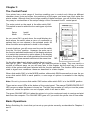
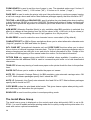
Move the paper select lever to the forward (paper stack) position.
Turn the paper feed knob clockwise until the second sheet of the forms s at the correct
starting print position. When printing with the tractor in the pull position, the first sheet of
the forms is unusable.
Set the paper thickness lever to +1 for 3-part forms, +2 for 4-part forms.
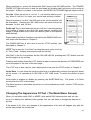
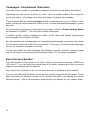
Replace the top cover, pressing on the push locations. The transparent part of the cover
rests against the tractor unit.
Turn the printer on.
If you are using 4-part forms, use the Setup mode to change CPY MODE to ON (see
Chapter 3.
8
9
10
11
12
13
Printing On Continuous Feed Labels
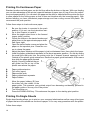
Printing on continuous feed labels uses the bottom feeding method with the tractor in the pull
position in order to grip the exiting labels and pull them out. Feeding media in this way allows
the labels to feed almost straight through the printer with minimal curling around the However,
you will not be able to use the paper tear off, top of form fine adjustment and paper parking
features. The printer should be mounted on a printer stand allowing your supply of labels to sit
below the printer.
Printing On Envelopes
Single sheet feeding allows you to print on No. 10, 6¾, 7¾ and DL size envelopes with a paper
weight of 45 to 75 gsm. For further details about paper types and specialist media, please
contact your supplier.
18