1
Registering Your Sender Information
Follow this procedure to set the current date and time, register your fax/telephone
number, and register your name or company name:
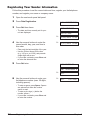
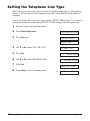
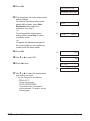
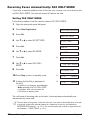
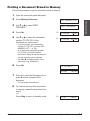
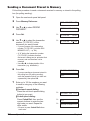
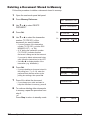
1 Open the one-touch speed dial panel.
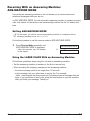
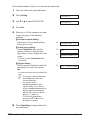
2 Press Data Registration.
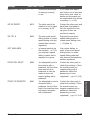
DATA REGSTRATION
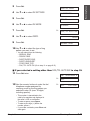
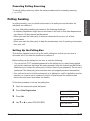
3 Press Set three times.
USER SETTINGS
• The date and time currently set for your
unit are displayed.
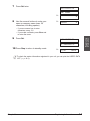
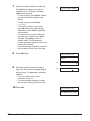
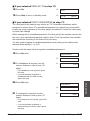
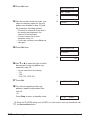
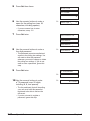
4 Use the numeric buttons to enter the
DATE & TIME
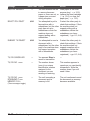
Ex:
12/20/2001 13:30
Ex:
12/27/2001 15:00
correct month, day, year, and time in
this order.
• Enter only the last two digits of the year.
• Use the 24-hour format for the time
(e.g. 1:00 p.m. as 13:00), and precede
single digits with a zero.
• If you make a mistake, press Clear and
re-enter the date and time.
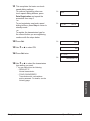
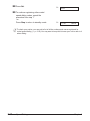
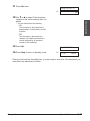
5 Press Set twice.
DATA ENTRY OK
UNIT TELEPHONE #
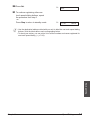
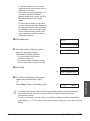
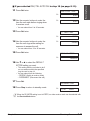
6 Use the numeric buttons to enter your
fax/telephone number (max. 20 digits,
including spaces).
Ex:
TEL=
Ex:
TEL=
123 4567
• To enter a space, press Space. Spaces
are optional but make the number
easier to read.
• To enter a plus sign (+) before the
number, press +.
• If you make a mistake, press Clear and
re-enter the number.
3-6
Registering Information
Chapter 3