1
Cloud Voice Service
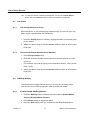
Tips: To view and remove conference participants, you can press Show Details
button and press Remove button to remove a conference participant.
4.7
4.7.1
Call Pickup
Call Pickup within your Group
When the phone of your pickup group member rings, you can use your own
phone to pick up and answer the call directly.
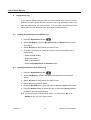
1. Press the PickUp button to transfer a ringing call within your pickup group
to your phone.
2. When your phone rings, press the Answer softkey to pick up and connect
to the call.
4.7.2
Directed Call Pickup (Specific Group Member)
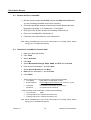
1. Press Group Pickup button.
2. Enter the extension number of the phone line with the call that you want
to pick up.
(For example, if the call is ringing on line extension number ‘1234’, please
enter ‘1234’.)
3. When your phone rings, press the Answer softkey to pick up and connect
to the call.
4.8
SIM-Ring Mobility
The simultaneous ringing features allow you to bring any incoming call to
your Cloud Voice number to both your desk IP phone and mobile.
4.8.1
Enable/ Disable SIM-Ring Mobility
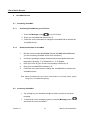
1. Press the Mobility button to display the current status (Enable Mobile
Connect/ Disable Mobile Connect)
2. Press Select softkey to toggle the status.
3. Press the Exit softkey once you confirm the SIM-Ring Mobility status.
Version 1.0
13
©Wharf T&T Limited 2011