1
Operation Panel
Operation Panel
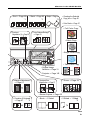
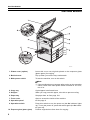
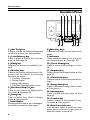
1. User Tools key
Press to change the default settings and
conditions to meet your requirements.
2. Color Balance key
Press to adjust and store the color balance. ☛ See page 88.
3. Menu key
Displays the names of available functions.
4. Favorite keys
Press to use the stored functions you frequently use. As default, the following
functions are stored:
1: Combine 2 Originals
2: Series Copies
3: Margin Adjustment
4: Directional Size Magnification (inch)
5. Directional Mag.(%) key
Press to use Directional Magnification
(%) mode. ☛ See page 55.
6. Sorter key
Press to select Sort, Stack or Staple
mode. ☛ See page 80.
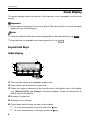
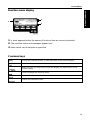
7. Panel Display
Shows operation status, error messages,
and function menus. ☛ See page 8.
6
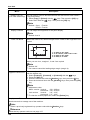
8. Selection keys
Press the key under the item you wish to
select.
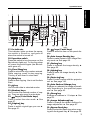
9. Indicators
These indicators show errors or the status of the machine. ☛ See page 100.
10. Check Modes key
Press to check all the settings you have
set.
11. Program key
Press to select the program mode. ☛ See
page 47.
12. Clear Modes key
Press to clear the previously entered settings.
13. Energy Saver key
Press to enter/exit Energy Saver mode.
☛ See page 44.
14. Interrupt key
Press to make interrupt copies. ☛ See
page 45.
15. Counter key
Press to check the total number of copies made. ☛ See page 50.
16. Main Power indicator
This indicator lights up when the main
power switch is turned on, and goes off
when the switch is turned off.


















![Jahresbericht 2007 des Fraunhofer IFF [ PDF 3.03 MB ]](http://vs1.manualzilla.com/store/data/006798304_1-2ffbea970edf0c57999fe80b3092fe9a-150x150.png)