1
Chapter 2: Using the Keyboard
The Keyboard Security Lock
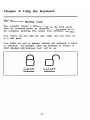
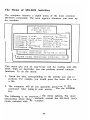
The computer features a keyboard lock on the front panel.
With the keyboard locked, no characters can be typed in to
the computer, protecting your system from unwanted intruders.
You receive two keys with the unit. Make sure you store one
in a safe place.
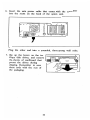
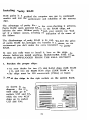
Two LEDs are used to indicate whether the keyboard is locked
or unlocked. For example, when the keyboard is locked, the
LED labelled with 'keyboard lock' will be on.
Lock ON
Indicator
Lock OFF
Indicator
17