1
About This Guide
Document Purpose and Intended Audience
This guide describes how to install and use the COMSPHERE 6700 Series
Network Management System (NMS).
You must have a basic understanding of modems and their operation, be
knowledgeable about data communications, and familiar with Microsoft Windows
terminology and conventions.
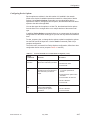
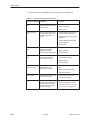
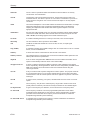
Document Summary
6700-A2-GY31-70
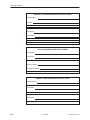
Section
Description
Chapter 1
Introduction. Provides an overview of NMS, NMS features and
requirements.
Chapter 2
Installation. Provides instructions for installing NMS.
Chapter 3
Start-Up. Provides information about starting NMS after it has
been installed.
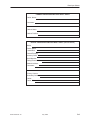
Chapter 4
Configuration. Provides information on using Configuration to
set up and maintain user-supplied network information.
Chapter 5
Displays. Provides information on using Displays to access the
different views of the network, to graphically show its health.
Chapter 6
Statistics. Provides information on using Statistics to gather
data on the utilization of the dial network resources.
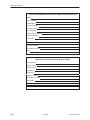
Chapter 7
Device Management. Provides information on using Device
Management to check a device’s current status, test devices,
inquire into a device’s identification information, and establish
connections.
Chapter 8
Dial Function. Provides information on the Dial function.
Chapter 9
Firmware Download. Provides information on firmware
downloading for COMSPHERE 3900 Series devices.
July 1999
ix