1
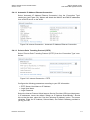
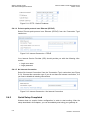
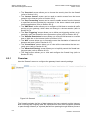
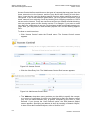
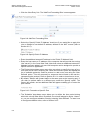
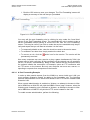
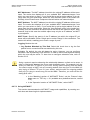
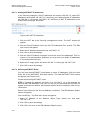
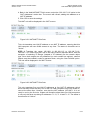
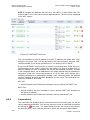
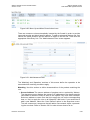
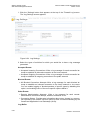
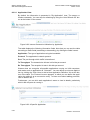
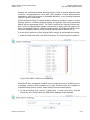
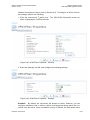
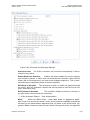
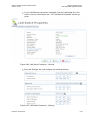
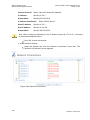
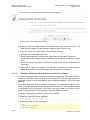
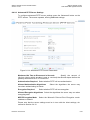
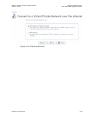
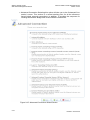
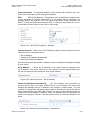
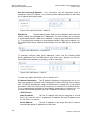
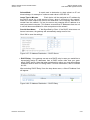
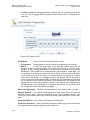
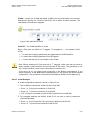
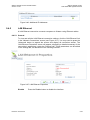
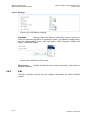
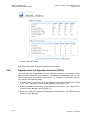
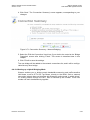
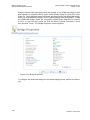
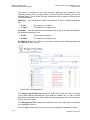
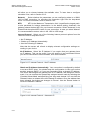
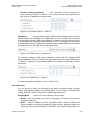
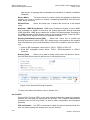
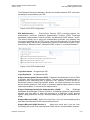
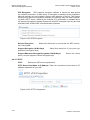
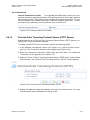
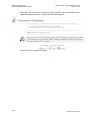
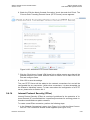
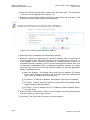
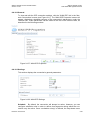
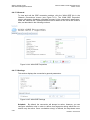
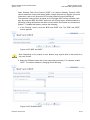
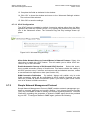
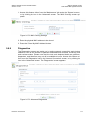
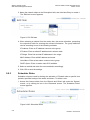
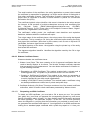
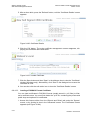
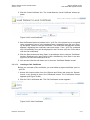
Watson SHDSL Router Web-based Management Manual Watson-SHDSL-Router-GUI-Manual.doc Version 2.3-03 Select between IP address, subnet or range in the 'Network Object Type' combo box, and enter the information respectively. To add a new NAT/NAPT rule, click the 'New Entry' link in the 'NAT/NAPT Rule Sets' section. The 'Add NAT/NAPT Rule' screen will appear. Figure 8-19: Add NAT/NAPT Rule This screen is divided into two main sections, 'Matching' and 'Operation'. The 'Matching' section defines the LAN addresses to be translated to the external addresses, which are defined in the 'Operation' section. Matching Use this section to define characteristics of the packets matching the rule. Source Address The source address of packets sent or received by Watson. The drop-down menu displays the names or IP addresses of the hosts currently connected to Watson's LAN, as well as the options 'Any' and 'User Defined'. Select an address or name from the list to apply the rule on the corresponding host, or 'Any' to apply the rule on all Watson's LAN hosts. If you would like to add a new address, select the 'User Defined' option in the drop-down menu. This will commence a sequence that will add a new network object, representing the new host. Refer to Section 9.9.2 in order to learn how to do so. Destination Address The destination address of packets sent or received by Watson. This address can be configured in the same manner as the source address. This entry enables further filtration of the packets. Protocol You may also specify a traffic protocol. Selecting the 'Show All Services' option from the drop-down menu will expand the list of available protocols. Select a protocol or add a new one using the 'User Defined' option. This will commence a sequence that will add a new service, representing the protocol. Refer to Section 8.9.1 in order to learn how to do so. Operation Use this section to define the operation that will be applied on the IP addresses matching the criteria defined above. The operations available are NAT or NAPT. Selecting each from the combo box will refresh the screen accordingly. 8-16 Revision: 2012-02-29