1
(Continued)
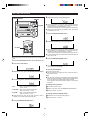
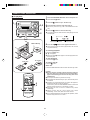
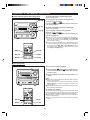
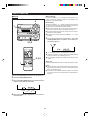
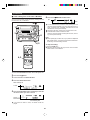
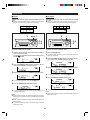
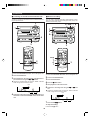
■ Recording from a CD onto a MiniDisc
(One-Touch Editing)
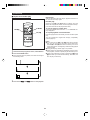
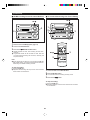
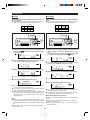
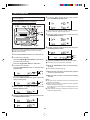
To cancel the operation:
A CD can be recorded to a MiniDisc, starting from the first
track, with one-touch operation.
To stop recording:
Before pressing the CD 0 MD EDIT START button, press
the CD ■ button.
Press the MD ■ button.
● Playback and recording will stop and the track numbers
will be written on the MiniDisc.
MD H
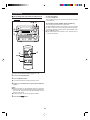
Notes:
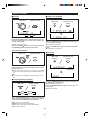
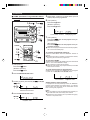
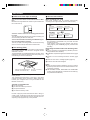
● When the CD playing time is longer than the available
MiniDisc recording time, the recording process will not start
even when the CD 0 MD EDIT START button is pressed.
1
4
3
2
Total number of
recordable tracks
(from the first track)
● To record as many tracks as are available, press the CD 0
MD EDIT START button again.
Then, when the CD 0 MD EDIT START button is pressed
again, recording will start. However, when the MiniDisc runs
out of space, "DISC FULL" will be displayed and the CD
and MiniDisc will stop.
However, if the available recording time on the MiniDisc is
less than the length of the first track on the CD, recording
will not be performed.
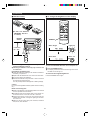
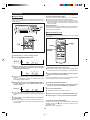
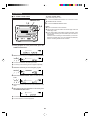
1 Press the ON/STAND-BY button to turn the power on.
2 Press the CD ■ button.
3 Load a CD and a recordable MiniDisc.
● The total number of tracks and the total playing time on
the CD will be displayed.
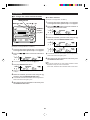
4 Press the CD 0 MD EDIT START button.
0
REC
● Recording will begin, starting from the first track of CD.
● After recording (all of the tracks that can be recorded), the
unit will stop automatically.
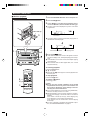
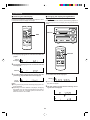
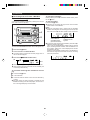
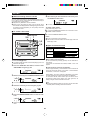
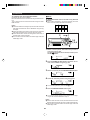
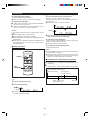
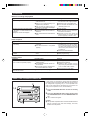
To check the remaining time available for recording:
1
2
3
Available recording time
Press the MD ■ button.
Load a MiniDisc.
Press the DISPLAY button to find the time followed by
hyphen.
● The total number of tracks previously recorded and the
available remaining time will be displayed, the unit will return to the original display 4 seconds later.
20