1
Page
ACCESSORIES . . . . . . . . . . . . . . . . . . . . . . . . . . . . . . . . . . . . 1
SPECIAL NOTES . . . . . . . . . . . . . . . . . . . . . . . . . . . . . . . . . 2
PRECAUTIONS . . . . . . . . . . . . . . . . . . . . . . . . . . . . . . . . . 3-4
NAMES OF CONTROLS AND
INDICATORS . . . . . . . . . . . . . . . . . . . . . . . . . . . . . . . . . 4-5
POWER SOURCE . . . . . . . . . . . . . . . . . . . . . . . . . . . . . 6-7
BEFORE RECORDING . . . . . . . . . . . . . . . . . . . . . 8-9
RECORDING USING THE ANALOG
CABLE . . . . . . . . . . . . . . . . . . . . . . . . . . . . . . . . . . . . . . . 10-11
RECORDING USING THE OPTICAL
DIGITAL CABLE . . . . . . . . . . . . . . . . . . . . . . . . . . . . . 12
RECORDING FROM THE
MICROPHONE . . . . . . . . . . . . . . . . . . . . . . . . . . 13-14
CONVENIENT RECORDING
FUNCTION . . . . . . . . . . . . . . . . . . . . . . . . . . . . . . . . . 15-18
Page
ABOUT TRACK NUMBERS .............. 19
ABOUT THE TOC.. ............................. 20
PLAYING A MiniDisc
C ................... 21-22
CONVENIENT PLAYBACK
FUNCTIONS .............................. 23-25
EDITING ........................................ 26-31
USING WITH OTHER EQUIPMENT . . 32
CONVENIENT OPERATION OF THE
UNIT ........................................... 33-35
WHAT IS A MINIDISC? ...................... 36
TROUBLESHOOTING .................. 36-37
MINIDISC SYSTEM LIMITATIONS.. ... 38
ERROR MESSAGES.. ........................ 39
MAINTENANCE ................................. 40
SPECIFICATIONS ......................... 40-41
0 Remote Control Unit x 1
0 Battery Case (GCASZ0086AFSA) x 1
(RRMCW0043AFSD)
0 Analog Cable (QCNWG0382AFZZ) x 1
0 Optical Digital Cable x 1
0 Headphones (RPHOH0185AFZZ) x 1
0 AC Adaptor (RADPA3489AFZZ) x 1
(QCNWG0422AFZZ)
0 Rechargeable Lithium-Ion Battery
0 Carrying Bag (UBAGCOO83AFSA) x 1
(AD-T51 BT) x 1
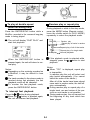
0 Handstrap (UBNDT0086AFSA) x 1
(UBATl0088AFSA)
Note:
Parts and equipment mentioned in this operation manual other than those detailed above
are not included.
For optional accessories, contact your local dealer, call the Sharp Accesories
and Supply Center at l-800-642-2122, or visit SHARP’s web site (http:/’
www.sharp-usa.com).
W How to attach the handstrap