1
About This Guide
This user guide introduces you to the many features in
your Motorola wireless phone.
Navigating to a Menu Feature
Use the menu system to access your phone’s features.
This guide shows you how to select a menu feature as
follows:
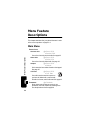
Find the Feature
M > Messages
About This Guide
> Text Msgs
This example shows that you must press M, scroll to and
select Messages, then scroll to and select Text Msgs.
Optional Features
This label identifies an optional network or
subscription-dependent feature that may not be
offered by all service providers in all
geographical areas. Contact your service
provider for more information.
Optional Accessories
This label identifies a feature that requires an
optional Motorola Original™ accessory.
10