1
Contents
Contents
1
2
2.1
3
3.1
3.2
4
4.1
5
6
7
7.1
7.2
7.3
7.4
Introduction
Getting Started
Quick Start
Overview
About HDCP
Recommendations for Best Performance
Your VS-66HDCP
Using the IR Transmitter
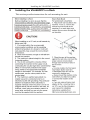
Installing the VS-66HDCP in a Rack
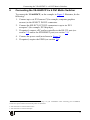
Connecting the VS-66HDCP 6 x 6 DVI Matrix Switcher
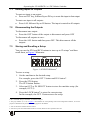
Operating the VS-66HDCP 6 x 6 DVI Matrix Switcher
Routing Inputs to Outputs
Disconnecting the Outputs
Storing and Recalling a Setup
Acquiring the EDID
1
1
2
3
3
4
4
7
8
9
10
11
11
11
12
7.5
7.6
Connecting to the VS-66HDCP via RS-232
Operating via the ETHERNET
14
14
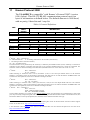
Technical Specifications
Default Communication Parameters
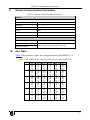
Hex Table
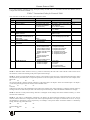
Kramer Protocol 2000
16
17
17
18
7.4.1
7.4.2
7.4.3
7.4.4
7.6.1
7.6.2
7.6.3
8
9
10
11
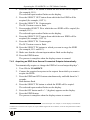
Acquiring an EDID from a Single Connected Output
Acquiring an EDID from Several Sets of Inputs and Outputs
Acquiring an EDID from Several Connected Outputs Automatically
Acquiring the Default EDID
12
12
13
14
Connecting the ETHERNET Port directly to a PC (Crossover Cable)
14
Connecting the ETHERNET Port via a Network Hub (Straight-Through Cable) 16
Control Configuration via the Ethernet Port
16
Figures
Figure 1: VS-66HDCP 6 x 6 DVI Matrix Switcher Front and Rear Views
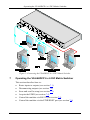
Figure 2: Connecting the VS-66HDCP 6 x 6 DVI Matrix Switcher
Figure 3: SELECTOR Buttons
Figure 4: Local Area Connection Properties Window
Figure 5: Internet Protocol (TCP/IP) Properties Window
5
10
11
15
15
i