1
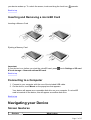
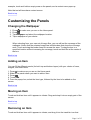
More About Your Device Safety and Regulatory Information Licence and Copyright Introduction ZiiO is a portable entertainment center, an Internet access, a game station, an e-book reader, and much more. This versatile touchscreen tablet runs the Android™ operating system, enabling you to easily install more applications from thousands of cool choices on the Web. Getting Started Your Device at a Glance 1 Power On/Off Press to turn on. Press and hold to turn off. Sleep / Wake Up Press to wake up or set to sleep. Reset If your ZiiO tablet stops responding, press and hold for approximately 10 seconds until the screen turns off. Page 2 of 15