1
TO USERS OF THE MX-M350U/MX-M450U/
MX-M350N/MX-M450N
Thank you for purchasing an AR-FX12 Facsimile Expansion Kit. The Operation manual (for facsimile) that is
included in the kit explains the procedures for using the fax function on AR-models, and thus some sections do not
apply to the MX-M350U/M450U/M350N/M450N. This guide explains those sections, and should be used together
with the Operation manual (for facsimile).
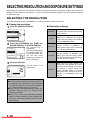
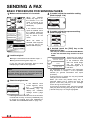
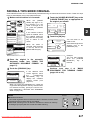
1. OPERATION PANEL
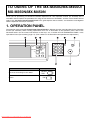
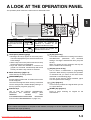
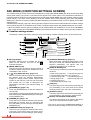
The operation panel of the MX-M350U/M450U/M350N/M450N is different from the panel described in the Operation
manual (for facsimile). When reading explanations that use an illustration of the operation panel, refer to the
illustration below. For the names and functions of the keys, see "A LOOK AT THE OPERATION PANEL" in the
Operation manual (for facsimile) (page 1-3). (The numbers in the illustration correspond to the explanations.)
DOCUMENT
FILING
IMAGE SEND
PRINT
READY
DATA
LINE
DATA
COPY
SYSTEM
JOB STATUS SETTINGS
Model
The MX-M350N/450N, and the MX-M350U/450U
with the document filing function added
The MX-M350U/450U without the document filing
function
Downloaded From ManualsPrinter.com Manuals
Key name
DOCUMENT
FILING
PRINT
LOGOUT