1
HWC_VNSConfiguration.fm
Virtual Network configuration
Accounting for a VNS
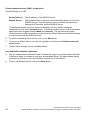
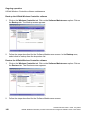
Alternatively, highlight a server name that has already been used for another type of
authentication, or accounting, and click on the checkbox User server for MAC
Authentication.
3.
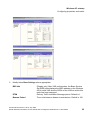
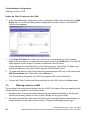
Fill in the fields described above for Captive Portal authentication or for AAA authentication.
4.
In the Auth. Type field, select the authentication protocol to be used by the RADIUS server
to authenticate the wireless device users (for a Captive Portal VNS), as described above
for Captive Portal authentication.
5.
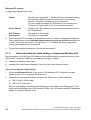
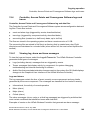
In the Include VSA Attributes area, click on the appropriate checkbox to include the
Vendor Specific Attributes in the message to the RADIUS server: AP Identification, VNS
Identification, and SSID Identification.
The Vendor Specific Attributes must be defined on the RADIUS Server.
6.
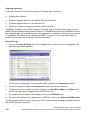
To enable MAC-based authentication on roam, click the checkbox on.
7.
To save these authentication parameters for this VNS, click on the Save button.
7.3
Accounting for a VNS
The next step is to enable and configure, for a VNS, the methods of accounting to track the
activity of a wireless device users. Two types of accounting can be enabled:
●
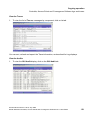
HiPath Wireless Controller Accounting: enables the HiPath Wireless Controller to generate
Call Data Records (CDRs) in a flat file on the HiPath Wireless Controller
A31003-W1010-A100-1-7619, July 2005
HiPath Wireless Controller, Access Points and Convergence Software V3.0: User Guide
87