1
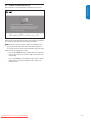
6.7 Show emergency alerts (EAS)
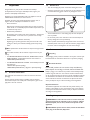
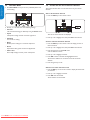
This section describes how to uninstall and reinstall a stored channel.
When a channel is uninstalled it is removed from the list of channels.
The SCTE18 standard defines an emergency alert signalling method for
use by cable TV systems. EAS can be broadcast to digital devices such
as digital set-top boxes, digital TVs, and digital VCRs.
Uninstalled channels are not reinstalled during an installation update.
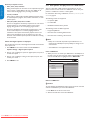
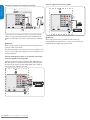
1. Press MENU on the remote control and select Installation >
Channels > Uninstall channels.
The EAS scheme allows a cable operator to disseminate information
related to state and local emergencies and warnings.
Uninstall channels
Autoprogram
52
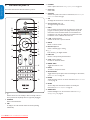
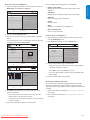
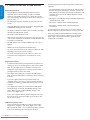
• Start time and date
Weak channel installation
53
Installation mode
54
• End time and date
Uninstall channels
55
56
57
58
59
• Priority
EAS with priority Maximum or High are always displayed on your TV.
However, you can configure your TV to not show EAS messages with
Medium or Low priority.
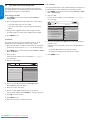
2. Press Æ to enter the list of stored channels.
EAS is not possible with a multimedia browser or with analog video
sources.
3. Press Î or ï to select the channel you want to uninstall, and press
the green key on the remote control.
You can always remove the message from the screen. The message
display overlaps menus and other messages on the screen.
The channel is removed from the channel list. Press the green key
again to reinstall the channel.
4. Press MENU to exit.
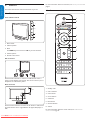
Configure emergency alerts
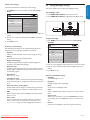
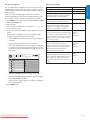
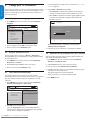
1. Press MENU on the remote control and select Installation >
Preferences > Show emergency alerts.
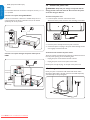
6.6 Return your settings to default values
This section describes how to return picture and sound settings to
their default values. The channel installation settings are not affected.
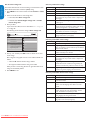
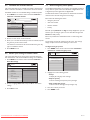
1. Press MENU on the remote control and select Installation >
Reset AV settings.
TV menu Installation
Preferences
Show emergency alerts
Location
Always
Show emergency alerts
Skip low priority
Downloaded rating table
Skip medium/low priority
TV menu
Reset AV settings
Language
Channels
Start now
Preferences
Source labels
Clock
Current software info
Reset AV settings
2. Press Æ to highlight Start now, and press OK to reset the AV
settings.
3. Press Menu to exit.
Downloaded From TV-Manual.com Manuals
2. Highlight one of the following options:
• Always
To display all emergency alert messages
• Skip low priority
To show all messages except low priority messages
• Skip medium/low priority
To show maximum and high priority messages only
3. Press Í to confirm your choice.
4. Press MENU to exit.
EN-27
ESPAÑOL
• Emergency alert text
Channels
FRANÇAISE
EAS contain the following information:
TV menu Installation
Installation
ENGLISH
6.5 Uninstall and reinstall channels