1
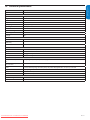
What should you do
The TV is not connected to the power.
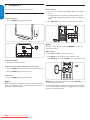
1. Press . POWER at the right side of the TV, or press . on the remote
control.
2. Ensure the power cord is connected tightly to the TV power connector and
to the power socket outlet.
3. Remove the power cord from the power socket outlet, wait 60 seconds and
reconnect the power cord.
4. Connect the TV to a different power socket outlet.
Error message on the screen with
HDMI connection.
HDCP authentication fail.
1. Ensure that your HDMI cable is certified.
2. Press SOURCE on the remote control to switch to another source and
then switch back to the HDMI source.
3. Reset the accessory device and the TV.
• Turn on the TV
• Select the HDMI channel
• Turn on the accessory device
4. While the TV and the accessory device are powered on, unplug either end of
the HDMI cable and then reinsert the cable.
No sound is detected from the PC.
Incorrect HDMI port is connected.
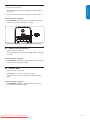
1. Connect a DVI-HDM cable to the HDMI 3 port on the TV.
Audio cable is not connected.
2. Connect an audio cable to the DVI AUDIO IN port on the TV.
3. Press SOURCE on the remote control, and select the HDMI 3 source.
TV does not respond to the remote
control.
Batteries are installed incorrectly, or low
battery power.
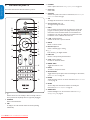
1. Ensure the indicator light on the TV blinks when the remote control buttons
are pressed.
2. Ensure that you are using the remote control supplied with the TV.
3. Ensure that the batteries of the remote control are inserted according to
the illustration on the remote control and that the batteries do not need to be
replaced.
4. Remove the power cord from the power socket outlet, wait 60 seconds and
reconnect the power cord.
The picture is distorted. It is
stretched out, has short, fat, black
bars on the side or top.
Broadcast video format.
1. Press the FORMAT button on the remote control to select the best picture
format.
The picture is mostly red and green,
or the picture is missing red when
the TV is connected to an accessory
device via component cables.
Insecure/incorrect connection.
No sound on the TV loudspeaker.
Volume level is set to zero.
1. Increase the volume.
Sound is muted.
2. Press MUTE on the remote control.
Headphones are connected.
3. Ensure the headphones are not plugged into the TV.
Audio cable is not connected.
4. For AV connection, ensure that the Audio L/R cable is connected as
described in Connect your devices on page 31.
If you are using a component cable, ensure that you have not crossed the red
audio cable with the red video cable.
Accessory device audio output setting
is incorrect.
5. For HDMI connections, some accessory devices have an HDMI audio output
setting that must be turned on for HDMI to HDMI connections.
Bad picture quality with a coaxial
connection.
Standard definition channels are not as
clear as high definition channels.
1. Connect the devices via component or HDMI cables.
No picture or sound.
Incorrect channel
1. Ensure you have selected the correct channel.
Incomplete channel installation.
1. If the TV receives channels via an AV connection, set the TV to the correct
source input.
2. For some accessory devices, the picture format has to be set in the
accessory device.
1. Ensure all the connections are made according to the color code.
2. Push the component cables all the way into the YPbPr sockets on the TV.
2. If the TV is connected directly to the wall via a coaxial connection, perform
the auto-installation again.
Cannot control your TV and
connected devices with one remote
control.
Downloaded From TV-Manual.com Manuals
1. Confirm that the connected devices are EasyLink compliant and are
connected to your TV via an HDMI cable. Not all brands of devices such as
DVD players use the same system as Philips EasyLink. Other brands might not
work with Philips EasyLink.
EN-35
FRANÇAISE
Possible cause
No power or indicator light.
ESPAÑOL
Symptoms
ENGLISH
10. Troubleshooting