1
Digital Still Camera Features
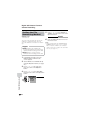
Playback
Card Playback
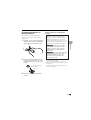
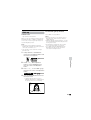
Note:
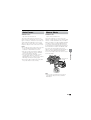
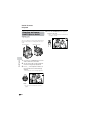
• Holding down j or k increases the
speed of motion of the selection frame.
Available mode:
Card Playback
4
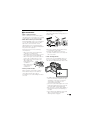
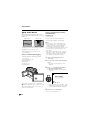
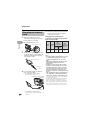
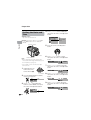
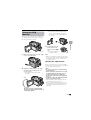
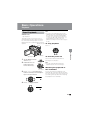
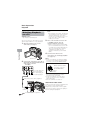
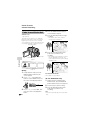
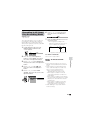
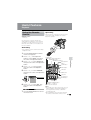
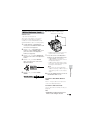
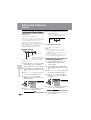
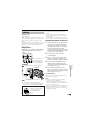
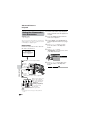
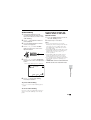
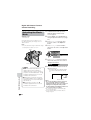
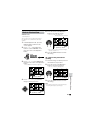
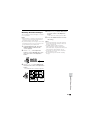
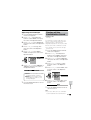
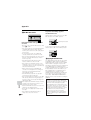
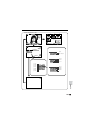
You can play back and view still images
recorded on a card on the LCD monitor.
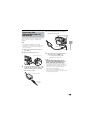
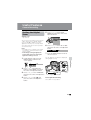
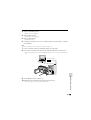
Press the centre of the Operation
button.
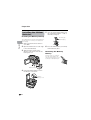
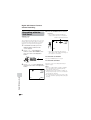
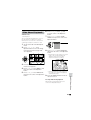
• The selected image displays in fullscreen.
Media Selection switch
Image file name
10 0 -0 00 1
C A RD
[ 1280 ]
1 / 10
NORMA
MA L
Power switch
S E L E C T I MG
Operation button
1
2
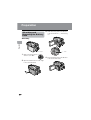
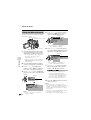
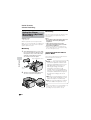
Set the Media Selection switch to u.
Hold down the Lock button and set
the Power switch to w.
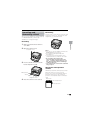
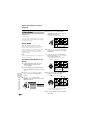
• The images recorded on the card are
displayed in a thumbnail format.
7
8
9
10
Lock button
1 0 0- 0 0 1 0
PAGE 2 / 2
NORMA L
S E L E C T I MG F U L L MULT I
Page number/total thumbnail pages
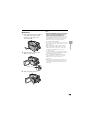
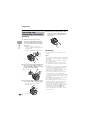
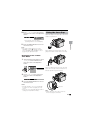
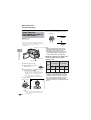
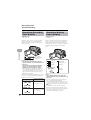
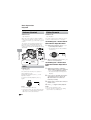
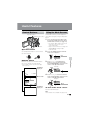
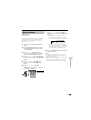
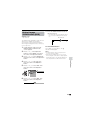
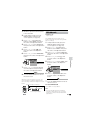
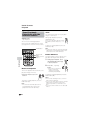
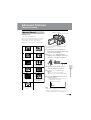
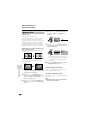
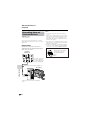
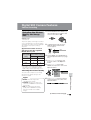
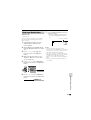
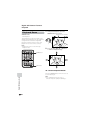
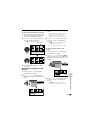
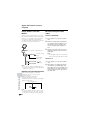
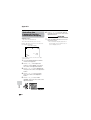
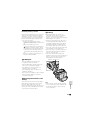
Press j, k, l or m on the Operation button to move the selection
frame to the desired image.
• Each time you press j, k, l or m,
the selection frame moves as shown
below.
1
2
3
4
5
6
1 0 0- 0 0 0 1
PAGE 1 / 2
NORMA L
S E L E C T I MG F U L L MULT I
F UL L
MU L T I
Picture quality
indicator
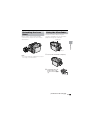
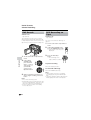
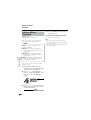
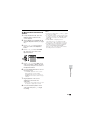
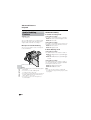
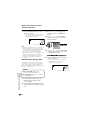
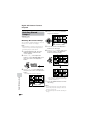
Available Operations during
Full-screen Display
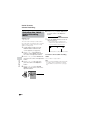
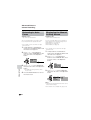
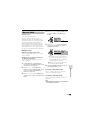
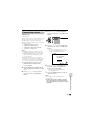
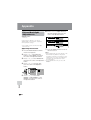
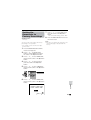
• You can display the full-screen picture of
the previous or next image by pressing j
or k.
• When holding down j or k, you can
search through the images on the card.
The search can be very fast, so it is
recommended that the on-screen
indicators turns on to display the image
number.
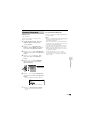
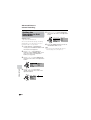
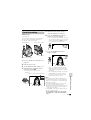
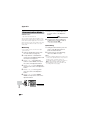
• To return to a thumbnail of the images,
press the centre of the Operation button
again.
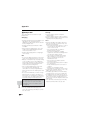
Notes:
• You can also set in the mode screen to display
the images in full screen or thumbnails.
• Depending on the amount of data for the
recorded image, the picture quality indicator
displayed during playback may not match the
picture quality setting used during recording.
• The images bigger than 1280K960, e.g. images
recorded on other equipment, display as
thumbnails, not full screen.
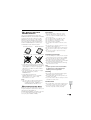
• Do not play back any card storing a defective
image (with noise and distortion) created on
other equipment. If you mistakenly play back
data on such a card, set the Power switch to
OFF, remove, and never use it with this
camcorder.
79
Digital Still Camera Features
3
Playback image number/
number of recordings