1
Thank you for purchasing this SHARP product.
To obtain the best performance from this product, please read this
manual carefully. It will guide you in operating your SHARP product.
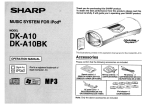
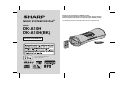
MUSIC SYSTEM FOR iPod®
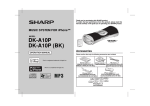
The illustrations printed in this operation manual are for the model DK-A10H.
MODEL
DK-A10H
DK-A10H(BK)
OPERATION MANUAL
RDS
DISPLAY
PTY
ASPM
iPod is a registered trademark of
Apple Computer, Inc.
DK-A10H
DK-A10H(BK)
Special notes
NOTES FOR USERS IN THE U.K. AND IRELAND
The mains lead of this product is fitted with a non-rewireable
(moulded) plug incorporating a 3A fuse. Should the fuse need to
be replaced, a BSI or ASTA approved BS 1362 fuse marked or
and of the same rating as above, which is also indicated on
the pin face of the plug must be used.
Important Instruction
Always refit the fuse cover after replacing the fuse. Never use
the plug without the fuse cover fitted.
2
In the unlikely event of the socket outlet in your home not being
compatible with the plug supplied, cut-off the mains plug and fit
an appropriate type.
DANGER:
The fuse from the cut-off plug should be removed and the cut-off
plug destroyed immediately and disposed of in a safe manner.
Under no circumstances should the cut-off plug be inserted elsewhere into a 13A socket outlet as a serious electric shock may
occur.
To fit an appropriate plug to the mains lead, follow the instructions below:
Ensure that neither the brown nor the blue wire is connected to
the earth terminal in your three pin plug.
Before replacing the plug cover, make sure that:
● If the new fitted plug contains a fuse, its value is the same as
that removed from the cut-off plug.
● The cord grip is clamped over the sheath of the mains lead
and not simply over the lead wires.
IF YOU HAVE ANY DOUBT, CONSULT A QUALIFIED ELECTRICIAN.
SERVICE INFORMATION
In the unlikely event of your equipment requiring repair, please
contact the dealer or supplier from whom it was purchased. Where
this is not possible, please visit our web-site www. sharp.co.uk/
customersupport.
Customers without internet access may telephone 0845
880 0512 during office hours (or (01) 676 0648 if telephoning
from lreland).
Please note; all calls will be charged at local rate.
IMPORTANT:
The wires in the mains lead are coloured in accordance with the
following code:
Blue
: Neutral
Brown : Live
Certain replacement parts and accessories may be obtained from
our main parts distributor.
As the colours of the wires in the mains lead of this product may
not correspond with the coloured markings identifying the terminals in your plug, proceed as follows:
● The wire which is coloured blue must be connected to the plug
terminal which is marked N or coloured black.
● The wire which is coloured brown must be connected to the
plug terminal which is marked L or coloured red.
In the unlikely event of this equipment requiring repair during the
guarantee period, you will need to provide proof of the date of
purchase to the repairing company.
Please keep your invoice or receipt, which is supplied at the
time of purchase.
WILLOW VALE ELECTRONICS LTD.
0121 766 5414
DK-A10H
DK-A10H(BK)
CAUTION
This product is classified as a CLASS 1 LASER product.
Use of controls, adjustments or performance of procedures other
than those specified herein may result in hazardous radiation exposure.
As the laser beam used in this compact disc player is harmful to
the eyes, do not attempt to disassemble the cabinet. Refer servicing to qualified personnel only.
Laser Diode Properties
Material: GaAs + GaAIAs
Wavelength: 780 nm
Emission Duration: continuous
Laser Output: max. 0.4 mW
CAUTION-INVISIBLE LASER RADIATION WHEN OPEN.
DO NOT STARE INTO BEAM OR VIEW DIRECTLY WITH
OPTICAL INSTRUMENTS.
WARNUNG-UNSICHTBARE LASERSTRAHLUNG WENN GERÄT
GEÖFFNET. NICHT IN DIE STRAHLUNG SCHAUEN ODER
DIREKT MIT OPTISCHEN HILFSMITTELN BETRACHTEN.
ATTENTION-RAYON LASER INVISIBLE EN CAS D'OUVERTURE.
NE PAS REGARDER LE FAISCEAU DIRECTEMENT OU AVEC DES
INSTRUMENTS OPTIQUES.
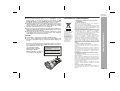
Information on Proper Disposal
A. Information on Disposal for Users (private
households)
Attention: Your product is marked with
this symbol. It
means that used
electrical and electronic products
should not be mixed
with general household waste. There is
a separate collection system for
these products.
1. In the European Union
Attention: If you want to dispose of this equipment,
please do not use the ordinary dust bin!
Used electrical and electronic equipment must be treated
separately and in accordance with legislation that
requires proper treatment, recovery and recycling of used
electrical and electronic equipment.
Following the implementation by member states, private
households within the EU states may return their used
electrical and electronic equipment to designated
collection facilities free of charge*. In some countries*
your local retailer may also take back your old product
free of charge if you purchase a similar new one.
*) Please contact your local authority for further details.
If your used electrical or electronic equipment has
batteries or accumulators, please dispose of these
separately beforehand according to local requirements.
By disposing of this product correctly you will help ensure
that the waste undergoes the necessary treatment,
recovery and recycling and thus prevent potential
negative effects on the environment and human health
which could otherwise arise due to inappropriate waste
handling.
2. In other Countries outside the EU
If you wish to discard this product, please contact your
local authorities and ask for the correct method of
disposal.
For Switzerland: Used electrical or electronic equipment
can be returned free of charge to the dealer, even if you
don't purchase a new product. Further collection facilities
are listed on the homepage of www.swico.ch or
www.sens.ch.
Important Instruction
WARNINGS
When the ON/STAND-BY button is set at STAND-BY position,
mains voltage is still present inside the unit. When the ON/
STAND-BY button is set at STAND-BY position, the unit may be
brought into operation by the timer mode or remote control.
This unit contains no user serviceable parts. Never remove covers
unless qualified to do so. This unit contains dangerous voltages,
always remove mains plug from the socket before any service
operation and when not in use for a long period.
To prevent fire or shock hazard, do not expose this appliance to
dripping or splashing. No objects filled with liquids, such as vases,
shall be placed on the apparatus.
Do not turn the volume on to full at switch on and listen to music
at moderate levels. Excessive sound pressure from earphones
and headphones can cause hearing loss.
B. Information on Disposal for Business Users
1. In the European Union
If the product is used for business purposes and you
want to discard it:
Please contact your SHARP dealer who will inform you
about the take-back of the product. You might be charged
for the costs arising from take-back and recycling. Small
products (and small amounts) might be taken back by
your local collection facilities.
For Spain: Please contact the established collection
system or your local authority for take-back of your used
products.
2. In other Countries outside the EU
If you wish to discard of this product, please contact your
local authorities and ask for the correct method of
disposal.
3
DK-A10H
DK-A10H(BK)
Special Note
Contents
General Information
Supply of this product does not convey a license nor imply any right
to distribute content created with this product in revenue-generating
broadcast systems (terrestrial, satellite, cable and/or other distribution channels), revenue-generating streaming applications (via Internet, intranets and/or other networks), other revenue-generating
content distribution systems (pay-audio or audio-on-demand applications and the like) or on revenue-generating physical media (compact discs, digital versatile discs, semiconductor chips, hard drives,
memory cards and the like). An independent license for such use is
required. For details, please visit http://mp3licensing.com
MPEG Layer-3 audio coding technology licensed from Fraunhofer
IIS and Thomson.
Accessories
Page
General Information
Precautions . . . . . . . . . . . . . . . . . . . . . . . . . . . . . . . . . . . . . . . . . . 5
Controls and indicators . . . . . . . . . . . . . . . . . . . . . . . . . . . . . 6 - 8
Preparation for Use
System connections . . . . . . . . . . . . . . . . . . . . . . . . . . . . . . 9 - 10
Remote control . . . . . . . . . . . . . . . . . . . . . . . . . . . . . . . . . . . . . . 11
Basic Operation
General control . . . . . . . . . . . . . . . . . . . . . . . . . . . . . . . . . . . . . . 12
Setting the clock . . . . . . . . . . . . . . . . . . . . . . . . . . . . . . . . . . . . 13
iPod
Listening to the iPod . . . . . . . . . . . . . . . . . . . . . . . . . . . . . 14 - 16
Please confirm that the following accessories is included.
CD or MP3/WMA disc Playback
Listening to a CD or MP3/WMA disc . . . . . . . . . . . . . . . . 17 - 18
Advanced CD or MP3/WMA disc playback . . . . . . . . . . . 19 - 20
MP3/WMA folder mode (only for MP3/WMA files) . . . . . . 21 - 22
Remote control 1
AM loop aerial
1
FM aerial 1
Radio
Listening to the radio . . . . . . . . . . . . . . . . . . . . . . . . . . . . . 23 - 24
Advanced Features
AC power lead
1
iPod adaptor
8
Using the Radio Data System (RDS) . . . . . . . . . . . . . . . . . 25 - 29
Alarm and sleep operation . . . . . . . . . . . . . . . . . . . . . . . . . 30 - 31
Enhancing your system . . . . . . . . . . . . . . . . . . . . . . . . . . . . . . . 32
Note: Only the above accessories are included.
References
Troubleshooting chart . . . . . . . . . . . . . . . . . . . . . . . . . . . . 33 - 34
Maintenance . . . . . . . . . . . . . . . . . . . . . . . . . . . . . . . . . . . . . . . . 34
Specifications . . . . . . . . . . . . . . . . . . . . . . . . . . . . . . . . . . . . . . . 35
TERMS OF GUARANTEE . . . . . . . . . . . . . . . . . . . . . . Back Cover
4
Precautions
DK-A10H
DK-A10H(BK)
General
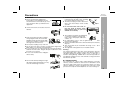
Hold the AC power plug by the head when
removing it from the wall socket, as pulling
the lead can damage internal wires.
The AC power plug is used as disconnect
device and shall always remain readily
operable.
Please ensure that the equipment is
positioned in a well-ventilated area and
10 cm (4")
ensure that there is at least 10 cm (4") of free
space along the sides, top and back of the
equipment.
10 cm (4")
Keep the unit away from direct sunlight,
strong magnetic fields, excessive dust,
humidity and electronic/electrical equipment (home computers, facsimiles, etc.)
which generate electrical noise.
Do not place anything on top of the unit.
Do not expose the unit to moisture, to temperatures higher than
60˚C (140˚F) or to extremely low temperatures.
If your system does not work properly, disconnect the AC power
lead from the wall socket. Plug the AC power lead back in, and
then turn on your system.
In case of an electrical storm, unplug the
unit for safety.
Do not lift the unit by holding left or right side
panel and the iPod dock door, it may
Do not lift the unit by holding left or right
side panel and the iPod dock door, it may
cause the unit damage or broken.
Do not remove the outer cover, as
this may result in electric shock.
Refer internal service to your local
SHARP service facility.
The ventilation should not be impeded by
covering the ventilation openings with
items, such as newspapers, tablecloths,
curtains, etc.
No naked flame sources, such as lighted candles, should be
placed on the apparatus.
Attention should be drawn to the environmental aspects of battery
disposal.
This unit should only be used within the range of 5˚C - 35˚C
(41˚F - 95˚F).
The apparatus is designed for use in moderate climate.
Warning:
The voltage used must be the same as that specified on this unit.
Using this product with a higher voltage other than that which is
specified is dangerous and may result in a fire or other type of
accident causing damage. SHARP will not be held responsible for
any damage resulting from use of this unit with a voltage other than
that which is specified.
General Information
Use the unit on a firm, level surface free from
vibration.
Volume control
The sound level at a given volume setting depends on speaker
efficiency, location, and various other factors. It is advisable to avoid
exposure to high volume levels. Do not turn the volume on to full at
switch on and listen to music at moderate levels. Excessive sound
pressure from earphones and headphones can cause hearing loss.
5
DK-A10H
DK-A10H(BK)
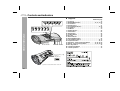
Controls and indicators
Top panel
6
16
17
18
19 20
7
8
9
10
21
General Information
1
2 3 4 5
11 12 13 14 15
The spec label (*)
The iPod
rating label (*)
(*) Label is located at the bottom of the unit.
6
Reference page
1. iPod Dock . . . . . . . . . . . . . . . . . . . . . . . . . . . . . . . . . . . . . . . 15
2. ON/STAND-BY Button . . . . . . . . . . . . . . . . . . . . 12, 13, 17, 23
3. Clock Button . . . . . . . . . . . . . . . . . . . . . . . . . . . . . . . . . . . . . 13
4. Remote Sensor . . . . . . . . . . . . . . . . . . . . . . . . . . . . . . . . . . . 11
5. Snooze/Dimmer Button . . . . . . . . . . . . . . . . . . . . . . . . . 12, 30
6. iPod Button . . . . . . . . . . . . . . . . . . . . . . . . . . . . . . . . . . . . . . 14
7. CD Button . . . . . . . . . . . . . . . . . . . . . . . . . . . . . . . . . . . . . . . 17
8. Auxiliary Button . . . . . . . . . . . . . . . . . . . . . . . . . . . . . . . . . . 32
9. Tuner Button . . . . . . . . . . . . . . . . . . . . . . . . . . . . . . . . . . . . . 23
10. Alarm Button . . . . . . . . . . . . . . . . . . . . . . . . . . . . . . . . . . . . . 30
11. CD Eject Button . . . . . . . . . . . . . . . . . . . . . . . . . . . . . . . . . . 18
12. Disc Slot . . . . . . . . . . . . . . . . . . . . . . . . . . . . . . . . . . . . . . . . 18
13. Alarm Indicator . . . . . . . . . . . . . . . . . . . . . . . . . . . . . . . . . . . 30
14. Alarm ON/OFF Button . . . . . . . . . . . . . . . . . . . . . . . . . . . . . . 30
15. E Sound/Demo Button . . . . . . . . . . . . . . . . . . . . . . . . . . 10, 12
16. Play/Pause Button . . . . . . . . . . . . . . . . . . . . . . . . . . . . . 16, 18
17. Skip Down, Tuner Preset Down Button . . . . . . 13, 16, 18, 24
18. Skip Up, Tuner Preset Up Button . . . . . . . . . . . 13, 16, 18, 24
19. Disc Stop Button . . . . . . . . . . . . . . . . . . . . . . . . . . . . . . . . . 18
20. Volume Down Button . . . . . . . . . . . . . . . . . . . . . . . . . . . . . 12
21. Volume Up Button . . . . . . . . . . . . . . . . . . . . . . . . . . . . . . . . 12
DK-A10H
DK-A10H(BK)
2
3
4
5
6
7
8
12
9 10 11
13
16
17
18
14
15
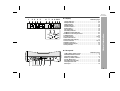
Reference page
1. Alarm Indicator . . . . . . . . . . . . . . . . . . . . . . . . . . . . . . . . . . . 30
2. Sleep Indicator . . . . . . . . . . . . . . . . . . . . . . . . . . . . . . . . . . . 31
3. MP3 Indicator . . . . . . . . . . . . . . . . . . . . . . . . . . . . . . . . . . . . 18
4. WMA Indicator . . . . . . . . . . . . . . . . . . . . . . . . . . . . . . . . . . . 18
5. Folder Indicator . . . . . . . . . . . . . . . . . . . . . . . . . . . . . . . . . . 22
6. CD Indicator . . . . . . . . . . . . . . . . . . . . . . . . . . . . . . . . . . . . . 18
7. iPod Indicator . . . . . . . . . . . . . . . . . . . . . . . . . . . . . . . . . . . . 14
8. Auxiliary Indicator . . . . . . . . . . . . . . . . . . . . . . . . . . . . . . . . 32
9. FM Stereo Mode Indicator . . . . . . . . . . . . . . . . . . . . . . . . . . 23
10. FM Stereo Receiving Indicator . . . . . . . . . . . . . . . . . . . . . . 23
11. RDS Indicator . . . . . . . . . . . . . . . . . . . . . . . . . . . . . . . . . . . . 25
12. Total Indicator . . . . . . . . . . . . . . . . . . . . . . . . . . . . . . . . 18, 22
13. Random Indicator . . . . . . . . . . . . . . . . . . . . . . . . . . . . . . . . 19
14. Summer Time Indicator . . . . . . . . . . . . . . . . . . . . . . . . . . . . 13
15. Pause Indicator . . . . . . . . . . . . . . . . . . . . . . . . . . . . . . . 16, 18
16. Memory Indicator . . . . . . . . . . . . . . . . . . . . . . . . . . . . . . . . . 20
17. Repeat Play Indicator . . . . . . . . . . . . . . . . . . . . . . . . . . . . . 19
18. Play Indicator . . . . . . . . . . . . . . . . . . . . . . . . . . . . . . . . . . . . 18
Rear panel
General Information
Display
1
Reference page
1. FM 75 Ohms Aerial Socket . . . . . . . . . . . . . . . . . . . . . . . . . . 9
2. AM Aerial Earth Terminal . . . . . . . . . . . . . . . . . . . . . . . . . . . 9
3. Summer Time Switch . . . . . . . . . . . . . . . . . . . . . . . . . . . . . . 13
4. AM Loop Aerial Terminal . . . . . . . . . . . . . . . . . . . . . . . . . . . . 9
5. Video Out Socket . . . . . . . . . . . . . . . . . . . . . . . . . . . . . . . . . 10
6. Auxiliary Input Sockets . . . . . . . . . . . . . . . . . . . . . . . . . . . . 32
7. Headphone Socket . . . . . . . . . . . . . . . . . . . . . . . . . . . . . . . . 32
8. AC Input . . . . . . . . . . . . . . . . . . . . . . . . . . . . . . . . . . . . . . . . 10
1
2 3 4 5 6
7
8
7
DK-A10H
DK-A10H(BK)
Controls and indicators (continued)
Remote control
11
1
12
13
14
15
16
17
18
19
20
2
General Information
3
4
5
6
7
8
RDS
9
Y
PTY
ASPM
10
DISPLA
21
22
23
Reference page
1. Remote Control Transmitter . . . . . . . . . . . . . . . . . . . . . . . . 11
2. Function Button . . . . . . . . . . . . . . . . . . . . . . . . . . . . . . . . . . 12
3. On/Stand-by Button . . . . . . . . . . . . . . . . . . . . . . 12, 13, 17, 23
4. Volume Up and Down Buttons . . . . . . . . . . . . . . . . . . . . . . 12
5. Skip Down, Tuner Preset Down Button . . . . . . 13, 16, 18, 24
6. Folder Button . . . . . . . . . . . . . . . . . . . . . . . . . . . . . . . . . . . . 21
7. Disc Stop Button . . . . . . . . . . . . . . . . . . . . . . . . . . . . . . . . . 18
8. Play Mode Button . . . . . . . . . . . . . . . . . . . . . . . . . . . . . . 16, 19
9. Tuning Up and Down Buttons . . . . . . . . . . . . . . . . . . . . . . . 23
10. Memory Button . . . . . . . . . . . . . . . . . . . . . . . . . . . . . . . . 20, 24
11. Clock Button . . . . . . . . . . . . . . . . . . . . . . . . . . . . . . . . . . . . . 13
12. Snooze/Dimmer Button . . . . . . . . . . . . . . . . . . . . . . . . . 12, 30
13. Sleep Button . . . . . . . . . . . . . . . . . . . . . . . . . . . . . . . . . . . . . 31
14. Alarm Button . . . . . . . . . . . . . . . . . . . . . . . . . . . . . . . . . . . . . 30
15. Skip Up, Tuner Preset Up Button . . . . . . . . . . . 13, 16, 18, 24
16. Display Button . . . . . . . . . . . . . . . . . . . . . . . . . . . . . . . . . . . 16
17. Play/Pause Button . . . . . . . . . . . . . . . . . . . . . . . . . . . . . 16, 18
18. E Sound/Demo Button . . . . . . . . . . . . . . . . . . . . . . . . . . 10, 12
19. Clear Button . . . . . . . . . . . . . . . . . . . . . . . . . . . . . . . . . . . . . 20
20. EQ Button . . . . . . . . . . . . . . . . . . . . . . . . . . . . . . . . . . . . . . . 12
21. RDS Display Button . . . . . . . . . . . . . . . . . . . . . . . . . . . . . . . 25
22. RDS PTY Button . . . . . . . . . . . . . . . . . . . . . . . . . . . . . . . . . . 25
23. RDS ASPM Button . . . . . . . . . . . . . . . . . . . . . . . . . . . . . . . . 25
Note:
Before using remote control, please remove plastic shield at battery
holder.
Remote
controller
Plastic shield
Battery holder
8
System connections
DK-A10H
DK-A10H(BK)
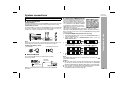
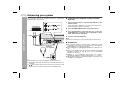
Aerial connection
Supplied FM aerial:
Connect the FM aerial wire to the FM 75 OHMS socket and position the FM
aerial wire in the direction where the strongest signal can be received.
Supplied AM loop aerial:
Connect the AM loop aerial to the AM and GND terminals. Position the AM
loop aerial for optimum reception. Place the AM loop aerial on a shelf, etc.,
or attach it to a stand or a wall with screws (not supplied).
Note:
Placing the aerial on the unit or near the AC power lead may cause noise
pickup. Place the aerial away from the unit for better reception.
Installing the AM loop aerial:
< Assembling >
< Attaching to the wall >
Wall
Setting the FM/AM interval
The International Telecommunication Union
(ITU) has established that member countries should maintain either a 10 kHz or 9
kHz interval between broadcasting frequencies of AM stations and 100 kHz or 50 kHz
for FM stations. The illustration shows the
50/9 kHz zones (regions 1 and 3), and the
100/10 kHz zone (region 2).
This product is not equipped with a span selector. However, it will be
adjusted to a 9 kHz AM (50 kHz FM) interval when shipped from the factory.
Before using the unit, be sure to set it to the AM/FM tuning interval (span)
used in your area.
To change the AM/FM tuning interval (main unit only):
1 During demonstration mode, press the E SOUND/DEMO button to
enter the stand-by mode.
2 Whilst holding down the SNOOZE/DIMMER button, press the
ON/STAND-BY button.
3
Within 6 seconds, press the
or
button to select the interval
(span) in your area.
The display switches each time you press the
or
button.
Preparation for Use
Make sure to unplug the AC power lead before any connections.
Screws (not supplied)
4
External FM aerial
Use an external FM aerial if you require better reception.
Consult your dealer.
External
FM aerial
75 ohms
coaxial cable
Note:
When an external FM aerial is used, disconnect the supplied FM
aerial wire.
Within 6 seconds, press the
button.
The unit will enter the power stand-by mode automatically.
Note:
The AM/FM tuning interval will not change unless you press the
button within 6 seconds.
Caution:
When the unit is left for a few days after the span has been changed and
the AC power lead disconnected, the AM span will be automatically
returned to 9 kHz (FM span to 50 kHz). If this happens, set the span again.
When the span is changed, all the memorised stations will be cancelled.
This operation can not operate when alarm is activated.
Deactivate the alarm first. (refer page 30)
9
DK-A10H
DK-A10H(BK)
System connections (continued)
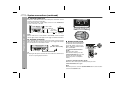
Connecting iPod to TV
iPod photo and 5th Generation iPod with photo and video can be
view by connecting to TV/monitor.
If the TV/monitor has a video input, connect it to the VIDEO OUT
socket on the rear of the unit.
Video cable
(not supplied)
TV
Preparation for Use
To video
input socket
Note:
Please make sure to set iPod unit to either NTSC or PAL to match
the TV signal. Please visit Apple’s home page for further information.
AC power connection
After checking all the connections have been made correctly, plug the
AC power lead of this unit into the wall socket. If you plug in the unit first,
the unit will enter the demonstration mode.
Wall socket
(AC 220 - 240 V, 50Hz)
To AC input
Note:
Unplug the AC power lead from the wall socket if the unit will not be
in use for a prolonged period of time.
Demonstration mode
The first time the unit is plugged in,
the unit will enter the demonstration mode. Lights on the snooze
button, subwoofer and around the
disc slot will blink.
To cancel the demonstration
mode:
When the unit is in the
demonstration mode, press the
E SOUND/DEMO button. The unit
will enter the power stand-by
mode (low power consumption
mode).
To return to the demonstration mode:
When the unit is in the power stand-by mode, press the
E SOUND/DEMO button again.
10
Note:
When the power is on, the E SOUND/DEMO button can be used to
select the E SOUND mode.
Remote control
DK-A10H
DK-A10H(BK)
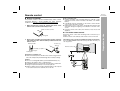
Battery installation
This product contains a CR Coin Lithium Battery which contains
Perchlorate Material – special handling may apply, California
residents, see www.dtsc.ca.gov/hazardouswaste/perchlorate/
1
Whilst pushing the locking tab towards the centre of the
remote control, slide out the battery holder.
Back of remote control
Notes concerning use:
Replace the battery if the operating distance is reduced or if the
operation becomes erratic. Purchase “CR 2025”, coin lithium
battery.
Periodically clean the transmitter on the remote control and the
sensor on the unit with a soft cloth.
Exposing the sensor on the unit to strong light may interfere with
operation. Change the lighting or the direction of the unit if this
occurs.
Keep the remote control away from moisture, heat, shock, and
vibrations.
Locking tab
2
Remove the old battery from the battery holder, insert the
new battery and then slide the battery holder back into the
remote control.
Battery holder
Positive (+)
side up
Polarity (+) symbol
Battery type
Locking tab
The remote control can be used within the range shown below:
Press the ON/STAND-BY button. Does the power turn on? Now, you
can enjoy music.
Remote sensor
Preparation for Use
Test of the remote control
Check the remote control after checking all the connections (see
page 9 - 10).
Point the remote control directly at the remote sensor on the unit.
Precautions for battery use:
Remove the battery if the unit will not be used for long periods of
time. This will prevent potential damage due to battery leakage.
Caution:
Do not use rechargeable battery (nickel-cadmium battery, etc.).
Replace only with the same or equivalent type.
Installing the battery incorrectly may cause the unit to malfunction.
Danger of explosion if battery is incorrectly replaced.
Batteries (battery pack or battery installed) shall not be exposed
to excessive heat such as sunshine, fire or the like.
11
DK-A10H
DK-A10H(BK)
General control
Volume control
Main unit and remote control operation:
Press the VOL (+ or –) button to increase or decrease the volume.
0 ..... 30 MAXIMUM
E SOUND control
Basic Operation
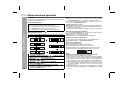
When the E SOUND/DEMO button is pressed, the current mode setting will be displayed. To change the setting, press the E SOUND/
DEMO button repeatedly to toggle ON or OFF. When ON is selected,
the unit will enter the E SOUND mode and adjust low bass and high
frequency automatically according to volume input.
Equaliser
When the EQ button is pressed, the current mode setting will be
displayed. To change to a different mode, press the EQ button
repeatedly until the desired sound mode appears.
To turn the power on
Press the ON/STAND-BY button to turn the power on. Lights on the
snooze button, Subwoofer and around the disc slot will light up.
Note:
iPod dock door will automatically open when the power is on.
After use:
Press the ON/STAND-BY button to enter the power stand-by mode
or demonstration mode.
Illumination light control
Press the SNOOZE/DIMMER button to adjust the brightness of the
display and illumination light.
IIIumination light and display bright
IIIumination light and display dim
IIIumination light off and display gets dimmer
Volume auto fade-in
12
If you turn off and on the main unit with the volume set to 27 or
higher, the volume starts at 16 and fades in to the last set level.
FLAT
No equalisation.
ROCK
For rock music.
CLASSICS
For classical music.
For pop music.
POPS
Vocals are enhanced.
VOCAL
For jazz.
JAZZ
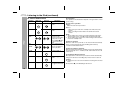
Function
When the FUNCTION button on remote control is pressed, the
current function will change to different mode, press the FUNCTION
button repeatedly to select desired function.
iPod
Tuner FM ST
CD
AUX
Tuner FM mono
AM
Note:
The backup function will protect the memorised function mode for a
few days should there be a power failure or the AC power lead
becomes disconnected.
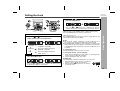
Setting the clock
DK-A10H
DK-A10H(BK)
4
Press the
or
button to adjust the minutes and then
press the CLOCK button.
Press the
or
button once to advance the time by
1 minute. Hold it down to change the time in 5-minutes interval.
1
2
Press the CLOCK button for more than 2 seconds.
Press the
or
button to select 12-hour or 24-hour
display and then press the CLOCK button.
“12:00 AM”
“0:00 AM”
Notes:
The clock will continue counting for 8 hours should there be a
power failure or the AC power lead becomes disconnected.
The “CLOCK ADJ” will appear or time will flash to confirm the time
display when the AC power supply is restored after a power failure
or unplugging the unit after 8 hours. If incorrect, readjust the clock
as follows.
Press the
or
button to adjust the hour and then
press the CLOCK button.
To readjust the clock:
Perform “Setting the clock” from step 1 to step 4.
To change the 12-hour or 24-hour display:
1 Clear all the programmed contents. [Refer to “Clearing all the
memory (reset)” on page 34 for details.]
2 Perform “Setting the clock” from step 1.
Press the
or
button once to advance the time by 1 hour.
Hold it down to advance continuously.
Summer time:
The Summer Time switch is located on the rear of the unit.
1 Slide the Summer Time switch to +1 to advance
the time 1 hour.
indicator will appear.
2 Slide the Summer Time switch to -1 to turn the
clock back 1 hour.
“0:00”
3
The 12-hour display will appear.
(12:00 AM - 11:59 PM)
The 12-hour display will appear.
(0:00 AM - 11:59 PM)
The 24-hour display will appear.
(0:00 - 23:59)
[When the power is on]
Press DISPLAY button on the remote control to toggle between the
function information and clock display.
Basic Operation
In this example, the clock is set for the 12-hour (12:00 AM) display.
To confirm the time display:
[When the unit is in the stand-by mode or demonstration mode.]
Press the CLOCK button to enter the clock function.
13
DK-A10H
DK-A10H(BK)
Listening to the iPod
Supported iPod:
iPod nano (software 1.0 above)
iPod photo (software 1.0 above)
iPod mini (software 1.2 above)
5th Generation iPod (software 1.0 above) (Dock connector
equipped Click Wheel model)
4th Generation iPod (software 3.0.2 above) (Dock connector
equipped Click Wheel model)
3rd Generation iPod (software 2.2 above) (Dock connector
equipped Click Wheel model)
iPod
Caution:
Please update your iPod unit to the latest software version before
using it. Please visit Apple’s homepage to download the latest
version for your iPod.
Notes:
Once the iPod is connected to the unit it will begin charging.
The iPod unit cannot be charged whilst the main unit is in the
stand-by mode.
Auto power on function:
When you press any of the following buttons, the unit turns on.
iPod button (main unit): The unit turns on and the iPod function is
activated.
/ button (main unit and remote control): The unit turns on and
playback of the last function will start (iPod, CD, TUNER, AUX).
iPod adaptor connection
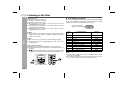
Choose the iPod adaptor that fits your iPod. Your iPod will fit snuggly
into the correct adaptor. If your iPod is not mentioned below, an iPod
adaptor may have been included with your iPod unit.
The number (3-10)
shows which iPod fits
iPod
Adapter
No.
3
4
5
6
7
6
7
8
9
10
7
iPod Description
iPod mini
4G iPod & U2 iPod
4G iPod
iPod photo & Color U2 iPod
iPod photo
iPod with colour display
iPod with colour display
iPod nano
iPod (10/12/05 w/video)
iPod (10/12/05 w/video)
Capacity
4GB & 6GB
20GB
40GB
20GB & 30GB
40GB & 60GB
20GB
60GB
2GB & 4GB
30GB
60GB
Notes:
iPod nano (Second Generation) is not compatible with the original
iPod nano dock adaptor.
If you have an iPod that does not have an iPod connector, you can
use an audio cable to connect it to the AUX IN sockets.
14
DK-A10H
DK-A10H(BK)
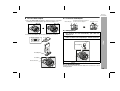
To insert iPod adaptor
To remove iPod adaptor
1. Press the ON/STAND-BY button to turn the power on. The iPod
terminal door will automatically open when the display is on.
Hold this tip and pull as direction
shown to remove adaptor.
main unit (top)
protective cover
2. Insert the iPod adaptor into the unit and connect your iPod.
iPod(bottom)
iPod
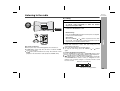
Press the ON/STAND-BY button to turn the power on. The
iPod terminal door will automatically open when the
display is on.
2
Press the iPod button on the main unit once or FUNCTION
button on remote control repeatedly to select iPod function.
3
Insert iPod unit in iPod dock of main unit.
iPod
Dock connector
iPod adaptor
iPod
iPod playback
1
iPod adaptor
iPod dock
iPod connector
4
Press the
/
button to start playback.
To disconnect iPod
Simply remove the iPod from the iPod dock. It is safe to do so even
during playback.
15
DK-A10H
DK-A10H(BK)
Listening to the iPod (continued)
Various iPod functions
iPod
Function
Main unit
Remote
control
Operation
Play
Press in the pause
mode.
Pause
Press in the playback
mode.
Track up/
down
Press in the playback
or pause mode.
If you press the button
in the pause mode,
press the / button
to start the desired
track.
Press and hold down
in the playback mode.
Release the button to
resume playback.
Fast
forward/
reverse
Display
____
iPod back light on.
DISPLAY
Repeat
____
Press to toggle repeat
mode.
PLAY
MODE
Shuffle
____
Press and hold down
to toggle shuffle mode.
PLAY
MODE
16
iPod operation
The operations described below depend on the generation of iPod
you are using.
iPod dock door operation
Open
When the main unit is powered on.
Close
- When turning the main unit to standby mode without iPod unit
docked.
- When cancelling the demonstration mode without iPod unit
docked.
Notes:
1 The iPod dock door remains open when turning the main unit to
demonstration mode or standby mode with iPod unit docked.
2 The iPod dock door remains close when turning to demonstration
mode from standby mode.
System on operation
When the main unit is powered on, the iPod unit will automatically
power on when docked in the unit (including alarm function).
* Invalid for 3rd iPod Generation.
System off (stand-by operation)
When the main unit is turned to stand-by mode, the docked iPod unit
will automatically turn to stand-by mode and iPod dock door will
remain open.
iPod playback detection function
Once play button on iPod unit is pressed, the unit will automatically
change to iPod function overriding the previous function selected.
Caution:
Unplug all accessories for the iPod before inserting it into the iPod
dock.
Stop button ( ) is invalid during iPod function.
Listening to a CD or MP3/WMA disc
DK-A10H
DK-A10H(BK)
MP3:
MP3 is a form of compression. It is an acronym which stands
for MPEG Audio Layer 3.
MP3 is a type of audio code which is processed by significant
compression from the original audio source with very little loss
in sound quality.
This system supports MPEG 1 Layer 3, MPEG 2 Layer 3, and
VBR files.
During VBR file playback, time counter in the display may differ
from its actual playback time.
Bitrate which is supported by MP3 is 32 ~ 320 kbps.
WMA:
WMA files are Advanced System Format files that include audio
files which are compressed with Windows Media Audio codec.
WMA is developed by Microsoft as an audio format file for
Windows Media Player.
“MP3” and “WMA” indicator will light up after the unit reads
information on an MP3 or WMA disc.
Bitrate which is supported by WMA is 64 ~ 160 kbps.
Auto power on function:
When you press any of the following buttons, the unit turns on.
CD button (main unit): The unit turns on and the CD function is
activated.
/ button (main unit and remote control): The unit turns on and
play back of the last function starts (iPod, CD, TUNER, AUX).
CD or MP3/WMA disc Playback
This system can play back a standard CD, CD-R/RW in the CD format
and CD-R/RW with MP3 or WMA files, but cannot record on them.
Some audio CD-R and CD-RW discs may not be playable due to the
state of the disc or the device that was used for recording.
17
DK-A10H
DK-A10H(BK)
Listening to a CD or MP3/WMA disc (continued)
1
2
3
Press the ON/STAND-BY button to turn the power on.
Press the CD button.
Insert the disc into the disc slot, label side up.
CD or MP3/WMA disc Playback
12 cm (5")
18
Various disc functions
Function
Press the
[MP3/WMA]
/
Press in the stop mode.
Stop
Press in the playback mode.
Pause
Press in the playback mode.
Press the / button to resume
playback from the paused point.
Track up/
Track
down
Press in the playback or stop
mode.
If you press the button in the stop
mode, press the / button to
start the desired track.
Press and hold down in stop
mode, the track will skip up/down
rapidly as figure below.
Example: Current track no.65
Down: 65 –> 64 –> 63 –> 62 –>
61 –> 60 –> 50 –> 40
Up: 65 –> 66 –> 67 –> 68 –> 69
–> 70 –> 80 –> 90
Note: This operation is invalid if
total track is less than 20.
Press and hold down in the
playback mode.
Release the button to
resume playback.
button to start playback.
Disc play indicator
Playback will begin from track 1.
After the last track on the disc is played, the unit will stop
automatically.
To remove the disc:
In the stop mode, press the
Operation
Play
Total number of
Total playing
Total number Disc Name
tracks on the disc time of the disc of files
4
Remote
control
8 cm (3")
8 cm disc can be inserted without an adaptor.
Due to the structure of the disc information, it takes longer to
read an MP3/WMA disc than a normal CD (approximately 20
to 90 seconds).
[CD]
Main unit
button.
Caution:
Do not play discs of special shapes (heart, octagon, etc).
It may cause malfunctions.
Do not push the disc whilst it is moving.
If the power fails whilst the disc is moving, wait until the power is
restored.
If TV or radio interference occurs during CD operation, move the
unit away from the TV or radio.
Fast
forward/
Fast
reverse
Notes for CD or MP3/WMA disc:
When the end of the last track is reached during fast forward, “END”
will appear on the display and CD operation will be paused. When the
beginning of the first track is reached during fast reverse, the unit will
enter the playback mode.
Rewritable multi session discs with unfinished writing, can still be
played.
Advanced CD or MP3/WMA disc playback
To repeat play:
Press the PLAY MODE button on the remote control.
Press the / button.
Random play
The tracks on the disc can be played in random order automatically.
To random play:
Press and hold down the PLAY MODE button on the remote
control.
Press / button.
To cancel repeat play:
Press the PLAY MODE button again.
“ ” will disappear.
To cancel random play:
Press and hold down the PLAY MODE button.
“RND” will disappear.
Notes:
If you press the
button during random play, you can move to
the track selected next by the random operation. However, the
button does not allow you to move to the previous track. It will go
to the beginning of the current track instead.
In random play, the CD player will select and play tracks
automatically. (You cannot select the order of the tracks.)
Random and repeat play can be use on the same time.
Caution:
After performing repeat play, be sure to press the
Otherwise, the disc will play continuously.
CD or MP3/WMA disc Playback
Repeat play
Repeat play can play all tracks on a disc, folder or a programmed
sequence continuously.
DK-A10H
DK-A10H(BK)
button.
19
DK-A10H
DK-A10H(BK)
Advanced CD or MP3/WMA disc playback (continued)
Programmed play
Whilst in the stop mode, press
the MEMORY button to enter the
programming save mode.
To clear the programmed selections:
Press the CLEAR button on the remote
control whilst the “MEM” indicator is flashing.
Each time the button is pressed, one track will
be cleared, beginning with the last track
programmed.
Press the
or
button to
select the desired track.
To cancel the programmed play mode:
Whilst in the stop mode and the “MEM” indicator is lit, press the
CLEAR button on the remote control. The “MEM” indicator will
disappear and all the programmed contents will be cleared.
You can choose up to 32 selections for playback in the order you like.
CD or MP3/WMA disc Playback
1
2
Selected track number
3
4
5
Repeat steps 2 - 4 for other tracks. Up to 32 tracks can be
programmed.
If you make a mistake, the programmed tracks can be cleared
by pressing the CLEAR button.
Press the
button.
The total number in memory will
appear.
6
20
Press the MEMORY button to save the track number.
Press the
/
button to start playback.
Adding tracks to the programme:
If a programme has been previously stored, the “MEM” indicator will
be displayed. Then follow steps 1 - 6 to add tracks. The new tracks
will be stored after the last track of the original programme.
To check which tracks are programmed:
Whilst the unit is stopped in the programmed play mode, press the
or
button.
Notes:
When a disc with programmed tracks is ejected, the programme
is automatically cancelled.
Even if you press the ON/STAND-BY button to enter the stand-by
mode or change the function from CD to another, the programmed
selections will not be cleared.
During the programme operation, random play is not possible.
MP3/WMA folder mode (only for MP3/WMA files)
DK-A10H
DK-A10H(BK)
About folder playback order
If MP3/WMA files are recorded in several folders, a folder number will
be set to each folder automatically.
These folders can be selected by the FOLDER button on the remote
control. If there is no supported file formats inside the selected folder,
the folder is skipped and the next folder will be selected.
Example: How to set folder number if MP3/WMA format files are
recorded as below figure.
1. ROOT folder is set as folder 1.
2. As for folders inside ROOT folder (Folder A and Folder B), the
folder which is recorded earlier on the disc will be set as folder 2.
3. As for folder inside Folder A (Folder C and Folder D), the folder
which is recorded earlier on the disc will be set as folder 3.
4. Because there is no folder in Folder C, Folder D will be set as
folder 4.
5. Folder E which is inside Folder D will be set as folder 5.
6. Folder B inside the ROOT folder will be set as folder 6.
* The folder and file order information which is recorded on the disc
depends on the writing software. There may be possibilities that this
unit will play back the files not according to your expected playback
order.
Folder mode on/off can be operated by the FOLDER button on the
remote control. Files that are played when folder mode is set to the
on position, may differ from those played back when folder mode is
turned off.
Folder Mode Off case:
All the files starting from the selected folder or file will be played back.
If file 3 inside Folder C is selected, all the files starting from file 3 will
be played back.
Folder Mode On case:
All the files inside the selected folder will be played back.
In case Folder D is selected, file 4, 5 and 6 will be played back. File
7 and 8 in Folder E will not be played back.
ROOT
(FOLDER 1)
FOLDER A
(FOLDER 2)
FOLDER B
(FOLDER 6)
FOLDER C
(FOLDER 3)
FILE 1
FILE 2
FILE 3
FOLDER D
(FOLDER 4)
FILE 4
FILE 5
FILE 6
FOLDER E
(FOLDER 5)
CD or MP3/WMA disc Playback
To playback MP3/WMA (Windows Media Audio) file
There are many music sites on the internet that you can download
MP3/WMA (Windows Media Audio) music files from, follow the
instructions from the website on how to download the music files.
You can then playback these downloaded music files by burning
them to a CD-R/RW disc.
Your downloaded song/files are for personal use only. Any other
usage of the song without owner’s permission, is against the law.
FILE 7
FILE 8
FILE 9
FILE 10
21
DK-A10H
DK-A10H(BK)
MP3/WMA folder mode (only for MP3/WMA files) (continued)
Procedure to play back MP3/WMA disc
4
To play back CD-R/RW.
1
Press the CD button, and insert an MP3/WMA disc.
After disc is inserted and TOC reading, disc info will be displayed.
FILE name
CD or MP3/WMA disc Playback
MP3 indicator
CD indicator
WMA indicator
5
TOTAL indicator
Press the
/ button.
Playback will start and file name will be displayed.
Title, Artist & Album name are displayed if they are recorded on
the disc.
Display content can be changed by pressing the DISPLAY
button.
In case folder is selected, proceed to step 2.
In case file is selected, proceed to step 4.
2
Select desired file to be played back by pressing the
or
button. (Folder mode off)
Press the FOLDER button, and press the TUNING ( or )
button to select desired playback folder. (Folder mode on)
Timer Counter
Clock Display
FOLDER indicator
File Name
FOLDER name
To start playback with folder mode on, go to step 5.
To change the playback folder, press the TUNING (
select another folder.
3
or
) to
Artist Name
Album Name
Select desired file to be played back by pressing the
or
button. Proceed to step 5.
FILE name
In case of playback with the folder mode on, press the TUNING (
or ) button, and the folder can be selected even though it is in
playback/pause mode.
It will continue playback/pause mode in the 1st track of the
selected folder.
Note:
If “NOSUPPORT” is displayed, it means “Copyright protected
WMA file” or “Not supported playback file” is selected.
22
Listening to the radio
DK-A10H
DK-A10H(BK)
Tuning
1
2
Press the ON/STAND-BY button to turn the power on.
3
Press the TUNING ( or
) button on the remote control
to tune in to the desired station.
Manual tuning:
Press the TUNING ( or ) button as many times as required
to tune in to the desired station.
Auto tuning:
When the TUNING ( or
) button is pressed for more than
0.5 seconds, scanning will start automatically and the tuner will
stop at the first receivable broadcast station.
Auto power on function:
When you press any of the following buttons, the unit turns on.
TUNER button (main unit): The unit turns on and the TUNER
function is activated.
/ button (main unit and remote control): The unit turns on and
playback of the last function starts (iPod, CD, TUNER, AUX).
Notes:
When radio interference occurs, auto scan tuning may stop
automatically at that point.
Auto scan tuning will skip weak signal stations.
To stop the auto tuning, press the TUNING (
or
) button
again.
Radio
Press the TUNER button on main unit or FUNCTION button
on remote control repeatedly to select the desired
frequency band (FM or AM).
To receive an FM stereo transmission:
Press the TUNER button (main unit) or FUNCTION button (remote
control) to select stereo mode and “ST” indicator will be displayed.
“ ” will appear when an FM broadcast is in stereo.
If the FM reception is weak, press the TUNER button (main unit)
or FUNCTION button (remote control) to extinguish the “ST”
indicator. The reception changes to monaural, and the sound
becomes clearer.
FM stereo mode indicator
FM stereo receiving indicator
23
DK-A10H
DK-A10H(BK)
Listening to the radio (continued)
Memorising a station
Radio
You can store 40 AM and FM stations in memory and recall them at
the push of a button. (Preset tuning)
1
2
Perform steps 1 - 3 in “Tuning” on page 23.
3
Within 1 minute, press the
or
button to select the
preset channel number.
Store the stations in memory, in order, starting with preset
channel 1.
4
Within 1 minute, press the MEMORY button to store that
station in memory.
Press the MEMORY button to enter the preset tuning
saving mode.
To recall a memorised station
Press the
or
desired station.
button for less than 0.5 seconds to select the
To scan the preset stations
The stations saved in memory can be scanned automatically.
(Preset memory scan)
1 Press the
or
button for more than 0.5 seconds.
The preset number will flash and the programmed stations will be
tuned in sequentially, for 5 seconds each.
2 Press the
or
button again when the desired
station is located.
If the preset number indicators disappear before the station is
memorised, repeat the operation from step 2.
5
Repeat steps 1 - 4 to set other stations, or to change a
preset station.
When a new station is stored in memory, the station previously
memorised for that preset channel number will be erased.
Note:
The backup function protects the memorised stations for a few hours
should there be a power failure or the AC power lead becomes
disconnected.
24
To erase entire preset memory
1
2
Press and hold the CLEAR button for more than 3 seconds.
“TUN CLEAR” will be displayed.
Within 10 seconds, press the MEMORY button.
“COMPLETE” will be displayed.
Using the Radio Data System (RDS)
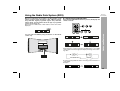
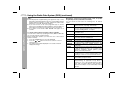
Information provided by RDS
Each time the RDS DISPLAY button is pressed, the display will
switch as follows:
You can control the RDS by using the buttons on the remote
control only.
Station name (PS)
Programme type (PTY)
Frequency
Radio text (RT)
When tuning in to a station other than an RDS station or to an RDS
station which sends weak signal, the display will change in the following order:
NO PS
NO PTY
FM 98.80 MHz
NO RT
Advanced Features
RDS is a broadcasting service which a growing number of FM
stations provide. These FM stations send additional signals
along with their regular programme signals. They send their
station names, and information about the type of programme
such as sport, music, etc.
When tuned to an RDS station, “RDS” and the station name will be
displayed.
DK-A10H
DK-A10H(BK)
Note that pressing DISPLAY button will change tuner information to
clock display.
Example:
25
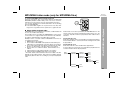
DK-A10H
DK-A10H(BK)
Using the Radio Data System (RDS) (continued)
Using the Auto Station Programme Memory
(ASPM)
Advanced Features
Whilst in the ASPM operation mode, the tuner will automatically
search for new RDS stations. Up to 40 stations can be stored.
If you have already stored some stations in memory, the number of
new stations you can store will be less.
26
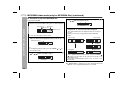
1
Press the TUNER button on main unit or FUNCTION button
on remote control repeatedly to select the FM band.
2
Press and hold down the RDS ASPM button on the remote
control for at least 3 seconds.
1 After “ASPM” has flashed for about 4 seconds, scanning will
start (87.50 - 108.00 MHz).
2
When an RDS station is found, “RDS” will appear for a short
time and the station will be stored in memory.
3
After scanning, the number of stations stored in memory will
be displayed for 4 seconds, and then “END” will appear for
4 seconds.
To stop the ASPM operation before it is completed:
Press the RDS ASPM button whilst it is scanning for stations.
The stations which are already stored in memory will be kept there.
Notes:
If the same station is broadcasting on different frequencies, the
strongest frequency will be stored in memory.
Any station which has the same frequency as one stored in
memory will not be stored.
If 40 stations have already been stored in memory, the scan will
be aborted. If you want to redo the ASPM operation, erase the
preset memory.
If no stations have been stored in memory, “END” will appear for
about 4 seconds.
If the RDS signals are very weak, station names may not be
stored in memory.
To store a station name again if the wrong name was stored in
memory:
It may be impossible to store station names in memory using the
ASPM function if there is lots of noise or if the signal is too weak. In
this case, perform as follows.
1 Press the
or
button to check whether the names are
correct.
2 If you find a wrong name during receiving the station, wait until the
correct name will be displayed. And then press the MEMORY
button.
3 Within 1 minute, press the MEMORY button whilst the preset
channel number is flashing.
The new station name has been stored in memory correctly.
DK-A10H
DK-A10H(BK)
Notes for RDS operation
If any of the following events occur, it does not mean that the
unit is faulty:
“PS”, “NO PS” and a station name appear alternately, and the unit
does not operate properly.
If a particular station is not broadcasting properly or a station is
conducting tests, the RDS reception function may not work
properly.
When you receive an RDS station whose signal is too weak,
information like the station name may not be displayed.
“NO PS”, “NO PTY” or “NO RT” will flash for about 5 seconds, and
then the frequency will be displayed.
To recall stations in memory
To specify programmed types and select stations (PTY search):
You can search a station by specifying the programme type (news,
sports, traffic programme, etc. ... see pages 28 - 29) from the stations
in memory.
1
Press the TUNER button on main unit or FUNCTION button
on remote control repeatedly to select the FM band.
2
Press the RDS PTY button on the remote control.
“SELECT” and “PTY TI” will appear alternately for about 6
seconds.
3
Notes for radio text:
The first 9 characters of the radio text will appear for 4 seconds
and then they will scroll across the display.
If you tune in to an RDS station which is not broadcasting any
radio text, “NO RT” will be displayed when you switch to the radio
text position.
Within 6 seconds, press the
programme type.
or
button to select the
Each time the button is pressed, the programme type will
appear. If the button is held down for more than 0.5 seconds,
the programme type will appear continuously.
4
Advanced Features
Notes:
The same station name can be stored in different channels.
In a certain area or during certain time periods, the station names
may temporarily be different.
Whilst the selected programme type is flashing (within 6
seconds), press the PTY button on remote control.
After the selected programme type has been lit for 2 seconds,
“SEARCH” will appear, and the search operation will start.
27
DK-A10H
DK-A10H(BK)
Using the Radio Data System (RDS) (continued)
Advanced Features
Notes:
If the display has stopped flashing, start again from step 2. If the
unit finds a desired programme type, the corresponding channel
number will flash for about 4 seconds, and then the station name
will flash for 7 seconds, which will remain lit.
If you want to listen to the same programme type of another
station, press the RDS PTY button whilst the channel number or
station name is flashing. The unit will look for the next station.
If no station can be found, “NOT FOUND” will appear for 4
seconds.
To specify station names and select stations manually:
You can select a station by specifying the name (BBC R1, BBC R2,
etc.) from the stations stored in memory.
Before starting this operation, you must store one or more station
names in memory.
1 Press the TUNER button to select the FM band.
2 Press the
or
button on the remote control to select a
desired station.
3 The station name will be displayed for 3 seconds. Then the
display will change.
Descriptions of the PTY (Programme Type) codes, TP (Traffic
Programme) and TA (Traffic Announcement).
You can search for and receive the following PTY, TP and TA
signals.
NEWS
AFFAIRS
INFO
SPORT
EDUCATE
DRAMA
CULTURE
SCIENCE
VARIED
POP M
ROCK M
EASY M
28
Short accounts of facts, events and publicly
expressed views, reportage and actuality.
Topical programme expanding or enlarging upon
the news, generally in different presentation style or
concept, including debate, or analysis.
Programmes whose purpose is to impart advice in
the widest sense.
Programme concerned with any aspect of sport.
Programme intended primarily to educate, of which
the formal element is fundamental.
All radio plays and serials.
Programmes concerned with any aspect of national
or regional culture, including language, theatre, etc.
Programmes about the natural sciences and
technology.
Used for mainly speech-based programmes usually
of light-entertainment nature, not covered by other
categories. Examples include: quizzes, panel
games, personality interviews.
Commercial music, which would generally be
considered to be of current popular appeal, often
featuring in current or recent record sales charts.
Contemporary modern music, usually written and
performed by young musicians.
Current contemporary music considered to be
“easy-listening”, as opposed to Pop, Rock or
Classical, or one of the specialised music styles,
Jazz, Folk or Country. Music in this category is
often but not always, vocal, and usually of short
duration.
DK-A10H
DK-A10H(BK)
CLASSICS
OTHER M
WEATHER
FINANCE
CHILDREN
SOCIAL
RELIGION
PHONE IN
TRAVEL
LEISURE
JAZZ
Classical music for general, rather than specialist
appreciation. Examples of music in this category
are instrumental music, and vocal or choral works.
Performances of major orchestral works,
symphonies, chamber music, etc., and including
Grand Opera.
Musical styles not fitting into any of the other
categories. Particularly used for specialist music of
which Rhythm & Blues and Reggae are examples.
Weather reports and forecasts and meteorological
information.
Stock Market reports, commerce, trading, etc.
For programmes targeted at a young audience,
primarily for entertainment and interest, rather than
where the objective is to educate.
Programmes about people and things that
influence them individually or in groups. Includes:
sociology, history, geography, psychology and
society.
Any aspect of beliefs and faiths, involving a God or
Gods, the nature of existence and ethics.
Involving members of the public expressing their
views either by phone or at a public forum.
Features and programmes concerned with travel to
near and far destinations, package tours and travel
ideas and opportunities. Not for use for
announcements about problems, delays, or
roadworks affecting immediate travel where TP/TA
should be used.
Programmes concerned with recreational activities
in which the listener might participate. Examples
include, Gardening, Fishing, Antique collecting,
Cooking, Food & Wine, etc.
Polyphonic, syncopated music characterised by
improvisation.
COUNTRY
Songs which originate from, or continue the musical
tradition of the American Southern States.
Characterised by a straightforward melody and
narrative story line.
NATION M
Current Popular Music of the Nation or Region in
that country's language, as opposed to
International “Pop” which is usually US or UK
inspired and in English.
OLDIES
Music from the so-called “golden age” of popular
music.
FOLK M
Music which has its roots in the musical culture of a
particular nation, usually played on acoustic
instruments. The narrative or story may be based
on historical events or people.
DOCUMENT Programme concerned with factual matters,
presented in an investigative style.
TEST
Broadcast when testing emergency broadcast
equipment or receivers.
ALARM !
Emergency
announcement
made
under
exceptional circumstances to give warning of
events causing danger of a general nature.
NONE
No programme type (receive only).
TP
Broadcasts which carry traffic announcements.
TA
Traffic announcements are being broadcast.
Advanced Features
LIGHT M
29
DK-A10H
DK-A10H(BK)
Alarm and sleep operation
Alarm
The unit turns on and play desired source (iPod, CD, TUNER, AUX)
or Buzzer sound for 30 minutes.
Before setting the alarm:
1 Check that the clock is set to the correct time (refer page 13).
If it is not set, you cannot use the alarm function.
2 For iPod playback: Insert iPod to the unit (refer page 15).
3 For TUNER: Set preset memory (refer page 24).
4 For CD playback: Insert disc to the unit (refer page 18).
Advanced Features
Setting the alarm content
1
2
Press and hold the ALARM button for more than 2 seconds.
Press the
or
button to select source or buzzer.
Changing alarm source only
After source is selected in step 2, press and hold the ALARM button.
If TUNER is selected, press and hold the ALARM button after preset
station is selected in step 3.
The time and volume will be automatically set to the previous setting.
Activating and deactivating the alarm
Press the ALARM ON/OFF button on main unit to activate and deactivate the alarm function. When activated:
During power on, “ALARM” will appear.
During stand-by mode, ALARM indicator will light up.
Switching off the sound and display
To turn off the sound and display, press either CLOCK button,
ON/ STAND-BY button or E SOUND/DEMO button.
Checking the alarm setting
Press the ALARM button.
The selected source or buzzer type will blink.
The unit will display the alarm time for 3 seconds.
During stand-by mode, the display will remain for 6 seconds.
Example: The time is 10:00 AM and iPod function is selected.
Press the ALARM button.
30
Notes:
If steps 1 - 6 above are done using the remote control, press the
ALARM ON/OFF button on main unit to activate the alarm.
To switch off illumination and display in demonstration mode,
press the E SOUND/DEMO button.
3
If TUNER is selected, press the
or
button to select a
preset station. Press the ALARM button.
4
Press the
or
button to adjust the hour.
Press the ALARM button.
5
Press the
or
button to adjust the minute.
Press the ALARM button.
6
If other than BUZZER is selected in step 2, press the
or VOL (+ or –) button to select volume.
Press the ALARM button.
or
Notes:
Buzzer sound will be output from right speaker only.
Alarm will not activate during power on mode.
When iPod is selected in step 2, if iPod unit is not detected during
alarm activation, source will automatically change to BUZZER 1.
When CD is selected in step 2, if disc is not detected during
alarm activation, source will automatically change to BUZZER 1.
When performing alarm using another unit connected to AUX,
select AUX in step 2. The unit will turn on and enter the clock
function automatically, however, the connected unit to AUX will
not turn on or off.
When the entire preset memory is erased (page 24), source will
automatically change to BUZZER 1 even if TUNER is pre-selected
(step 2).
DK-A10H
DK-A10H(BK)
To turn off the alarm function
During alarm or snooze, press the ALARM ON/OFF button to turn it
off.
Sleep operation
The radio, compact disc and iPod can be turned off automatically.
1
2
Playback the desired sound source.
Press the SLEEP button to select sleep time.
To confirm the remaining sleep time:
1 Whilst “SLEEP” is indicated, press the SLEEP button on the
remote control once to select “SLEEP XXX”.
“XXX” is sleep remaining time.
The remaining sleep time is displayed for about 10 seconds.
You can change the remaining sleep time whilst it is displayed by
pressing the SLEEP button (steps 2 - 3).
To cancel the sleep operation:
Press the ON/STAND-BY button whilst “SLEEP” is indicated.
To cancel the sleep operation without setting the unit to the stand-by
mode, proceed as follows.
1 Whilst “SLEEP” is indicated, press the SLEEP button to select
“SLEEP OFF”, and press the MEMORY button.
To use alarm and sleep operation together
Sleep and alarm:
For example, you can fall asleep listening to the radio and wake up
to iPod in the next morning.
1
2
3
Set the sleep time (see left, steps 1 - 4).
Whilst the sleep timer is set, set the alarm
(steps 1 - 6, page 30).
Activate the alarm (see page 30).
Sleep timer setting
3
Press the MEMORY button.
“SLEEP” will appear.
4
The unit will enter the clock function automatically after the
preset time has elapsed.
The volume will be turned down 1 minute before the sleep
operation finishes.
Alarm setting
10 minutes - 2 hours
Sleep operation will
automatically stop
Advanced Features
Snooze function
Once alarm has started, pressing the SNOOZE/DIMMER button will
stop alarm for 5 minutes.
Once the snooze time has expired, alarm will continue.
End time
30 minutes
Alarm start time
31
DK-A10H
DK-A10H(BK)
Enhancing your system
Listening to the playback sounds from VCR,
DVD, etc.
The connection lead is not included. Purchase a commercially
available lead as shown below.
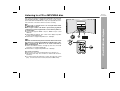
1
White
When using video equipment, connect the audio output to this
unit and the video output to a television.
VCR, DVD, etc.
Red
Advanced Features
To the line output sockets
White
Red
2
3
Press the ON/STAND-BY button to turn the power on.
4
Play the connected equipment.
Press the AUX button on the main unit once or press the
FUNCTION button on remote control repeatedly to select
AUX. “AUX” indicator will appear.
Note:
To prevent noise interference, place the unit away from the television.
Headphones
RCA lead
(not supplied)
Auto power on function:
When you press any of the following buttons, the unit turns on.
AUX button (main unit): The unit turns on and the AUX function is
activated.
/ button (main unit and remote control): The unit turns on and
playback of the last function starts (iPod, CD, TUNER, AUX).
32
Use a connection lead to connect the VCR, DVD etc. to the
AUX IN sockets.
Do not turn the volume on to full at switch on and listen to music
at moderate levels. Excessive sound pressure from earphones
and headphones can cause hearing loss.
Before plugging in or unplugging the headphones, reduce the volume.
Be sure your headphones have a 3.5 mm (1/8") diameter plug and
impedance between 16 and 50 ohms. The recommended
impedance is 32 ohms.
Plugging in the headphones disconnects the speakers
automatically. Adjust the volume using the VOL (+ or –) control.
During alarm activation, sound will be output to the speaker even
if headphones is plugged in.
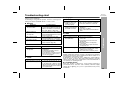
Troubleshooting chart
General
Symptom
The clock is not set to
the correct time.
When a button is
pressed, the unit does
not respond.
No sound is heard.
iPod door not fully
open/close.
Possible cause
Is the Summer Time switch set to the
correct setting? (Refer to page 13)
Did a power failure occur? Reset
the clock. (Refer to page 34)
Set the unit to the power stand-by
mode and then turn it back on.
If the unit still malfunctions, reset it.
(Refer to page 34)
Is the volume level set to “0”?
Are the headphones connected?
Set the unit to the power stand-by
and turn it on again.
Reset it. (Refer page 34)
CD player
Symptom
Playback does not start.
Playback stops in the
middle or does not
perform properly.
Playback sounds are
skipped, or stopped in
the middle of a track.
Possible cause
Is the AC power lead of the unit
plugged in?
Is the battery polarity correct?
Are the battery dead?
Is the distance or angle incorrect?
Does the remote control sensor
receive strong light?
Tuner
Symptom
The radio makes unusual
noises continuously.
Possible cause
Is the unit placed near the TV or
computer?
Is the FM aerial or AM loop aerial
placed properly? Move the aerial
away from the AC power lead if it
is located nearby.
Is the unit located near excessive
vibrations?
Is the disc very dirty?
Has condensation formed inside the
unit?
iPod
Symptom
No sound is produced.
No image appears on
the TV/monitor.
Remote control
Symptom
The remote control does
not operate.
Possible cause
Is the disc loaded upside down?
Does the disc satisfy the standards?
Is the disc distorted or scratched?
iPod will not charge
Possible cause
The iPod is not playing.
The iPod is not properly connected
to the unit.
Is the AC power lead of the unit
plugged in?
The video cable is not properly
connected.
The TV/monitor’s input selection is
not properly set.
Wrong iPod adaptor is used.
The iPod is not making full contact
with the iPod connector.
The main unit is in stand-by mode.
References
Many potential problems can be resolved by the owner without
calling a service technician.
If something is wrong with this product, check the following before
calling your authorised SHARP dealer or service centre.
DK-A10H
DK-A10H(BK)
Condensation
Sudden temperature changes, storage or operation in an extremely
humid environment may cause condensation inside the cabinet or on
the transmitter on the remote control.
Condensation can cause the unit to malfunction. If this happens,
leave the power on with no disc until normal playback is possible
(about 1 hour). Wipe off any condensation on the transmitter with a
soft cloth before operating the unit.
If trouble occurs
When this product is subjected to strong external interference
(mechanical shock, excessive static electricity, abnormal supply
voltage due to lightning, etc.) or if it is operated incorrectly, it may
malfunction.
33
DK-A10H
DK-A10H(BK)
Troubleshooting chart (continued)
If such a problem occurs, do the following:
1 Set the unit to the stand-by mode and turn the power on again.
2 If the unit is not restored in the previous operation, unplug and
plug in the unit, and then turn the power on.
Note:
If neither operation above restores the unit, clear all the memory by
resetting it.
Clearing all the memory (reset)
1
2
References
3
Press the ON/STAND-BY button to enter the power stand-by
mode.
Whilst pressing down the SNOOZE/DIMMER button and the
E SOUND/DEMO button, press the ON/STAND-BY button until
“CLEAR ALL” appears.
Can be operate on main unit only.
Caution:
This operation will erase all data stored in memory including clock,
alarm settings and tuner preset.
Before transporting the unit
Remove the iPod and the disc from the unit. Then, set the unit to the
power stand-by mode. Carrying the unit with iPod left docked or disc
left inside might damage both the unit and the iPod.
34
Maintenance
Cleaning the cabinet
Periodically wipe the cabinet with a soft cloth and a diluted soap
solution, then with a dry cloth.
Caution:
Do not use chemicals for cleaning (petrol, paint thinner, etc.). It
may damage the cabinet finish.
Do not apply oil to the inside of the unit. It may cause
malfunctions.
Cleaning the CD pickup lens
In order to ensure proper operation of the CD player, preventative
maintenance (cleaning of the laser pickup lens) should be
performed periodically. Lens cleaners are commercially available.
Contact your local CD software dealer for options.
Specifications
General
Power source
AC 220 - 240 V, 50 Hz
Power consumption
Power on: 34 W
Power stand-by: 0.6 W (*)
Output power
Front Speaker:
RMS: 4 W (2 W + 2 W) (10% T.H.D.)
RMS: 4 W (2 W + 2 W) (0.9% T.H.D.)
Speaker
Speaker
maximum
input power
*This power consumption value is obtained when the demonstration
mode is cancelled in the power stand-by mode. Refer to page 10 to
cancel the demonstration mode.
Tuner
Frequency range
FM: 87.5 - 108 MHz
AM: 522 - 1,620 kHz
CD player
Type
Single disc player
Signal readout
Non-contact, 3-beam semiconductor laser
pickup
Subwoofer:
RMS: 10 W (5 W + 5 W) (10% T.H.D.)
RMS: 6 W (3 W + 3 W) (0.9% T.H.D.)
D/A converter
Multi bit D/A converter
20 - 20,000 Hz
1-way type light-up speaker system
Front Speaker: 6.5 cm (2-1/2") - 12 ohms - Full
Range
Subwoofer: 10 cm (4") - 8 ohms - Woofer
Frequency
response
Dynamic range
90 dB (1 kHz)
Front Speakers: 4W/ Channel
Subwoofer: 10W / Channel
References
As part of our policy of continuous improvement, SHARP reserves
the right to make design and specification changes for product
improvement without prior notice. The performance specification
figures indicated are nominal values of production units. There may
be some deviations from these values in individual units.
DK-A10H
DK-A10H(BK)
Speaker rated Front Speakers: 2W / Channel
input power
Subwoofer: 5W / Channel
Output
terminals
Headphones: 16 - 50 ohms
(recommended: 32 ohms)
Video output: 1Vp-p
Input
terminals
Auxiliary (audio signal):
500 mV/47 k ohms
Dimensions
Width: 500 mm (19-11/16")
Height: 150 mm (5-7/8")
Depth: 250 mm (9-7/8")
Weight
5.3 kg (11.7 lbs.)
35
TERMS OF GUARANTEE
Sharp Electronics (UK) Ltd. (“Sharp”) guarantees to provide for the repair, or at its option the replacement, of this product subject to the conditions listed below:1. This guarantee shall only apply to faults which are due to inferior workmanship or materials. It does
not cover faults or damage caused by accident, misuse, fair wear and tear, neglect, tampering with
the product, or repair other than by a Service Facility appointed by Sharp.
2. As this product is intended for private domestic use only, the guarantee will not apply if the product
is used in the course of a business, trade or profession.
3. To benefit from this guarantee, any fault which occurs must be notified to Sharp, or its appointed
Service Facility within one year from the date this product was purchased. Proof of purchase must
be provided.
4. The guarantee does not cover carriage costs, audio tapes, compact discs or batteries.
5. In the unlikely event of this product requiring repair, please contact the supplier from whom it was
purchased. Where this is not possible, please contact the Sharp Customer Information Centre on
the telephone number given below.
6. No person has any authority to vary the terms or conditions of this guarantee.
7. This guarantee is offered as an additional benefit to your statutory rights, and does not affect these
rights in any way.
If you have any difficulty operating this product, or would like information on other Sharp products,
please telephone the Sharp Customer Information Centre on the number given below.
Sharp Customer Information Centre - Telephone 0845 880 0512
(or (01) 676 0648 if telephoning from Ireland)
Customer support website address - www.sharp.co.uk/customersupport.aspx
SHARP ELECTRONICS (U.K) LTD.
4 Furzeground Way, Stockley Park, Uxbridge, Middlesex, UB11 1EZ.
SHARP CORPORATION
03/12/17
TINSEA155AWZZ
07B R KI 1
TINSEA171AWZZ
07C R KI 1