1
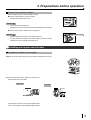
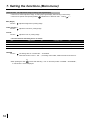
7. Setting the functions (Making a comment)
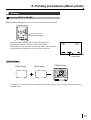
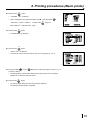
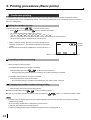
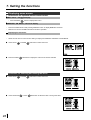
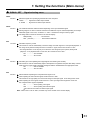
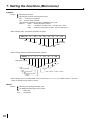
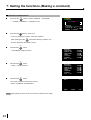
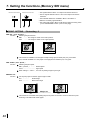
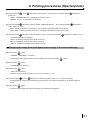
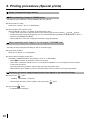
Changing character type
1
MENU
Press the MENU
button.
5.COMMENT
[DEL ]INS
456789
• Comment editing display is shown.
2
{PAGE}
0123456789+- /= ( ) < > [ ] { }
!\#$%&?@"',.:;^
±
CHANGE: OK/CANCEL
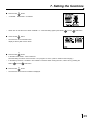
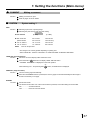
2
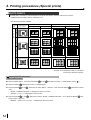
Press the UP
or DOWN
shift button to select the character type.
5.COMMENT
[DEL ]INS
456789
• The characters in the character block change.
2
{PAGE }
3
ÀÂÈÊËÎÙÛ ° Ç ç £ § ƒ ¢ â ê ô û á é ó ú
à è ò ù ä ë ö ü Å î Ø å í ø ÄìÖÜÉßÔα β
ΓσµτΘΩ•ø±
CHANGE: OK/CANCEL
MENU
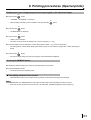
Press the MENU
button.
• Comment making display is shown.
• Comment can be made.
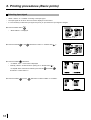
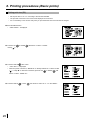
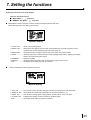
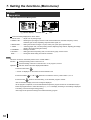
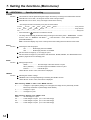
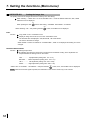
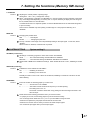
Deleting a letter or inserting a space
1
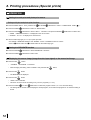
Press the RIGHT
or LEFT
shift button to select the position to be edited.
• The selected letter or space will be deleted.
• A space will be inserted to the previous position of the selected position or letter.
5.COMMENT
[POSITION]
4 56789
{PAGE}
20 1 2 3 4 5 6 7 8 9 + -
2
/= ( ) < > [ ] { }
!\#$%&?@"',.:;^
±
CHANGE: OK/CANCEL
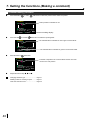
MENU
button.
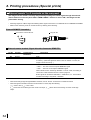
Press the MENU
• The comment editing display is shown.
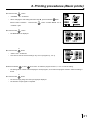
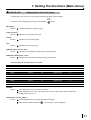
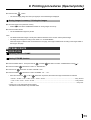
3
or LEFT
Press the RIGHT
shift button.
......... Deleting a letter
5.COMMENT
[DEL ]INS
4 56789
{PAGE}
20 1 2 3 4 5 6 7 8 9 + -
/= ( ) < > [ ] { }
!\#$%&?@"',.:;^
±
CHANGE: OK/CANCEL
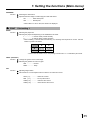
......... Inserting a space
4
MENU
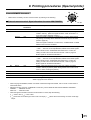
Press the MENU
button.
• The comment making display is shown.
• The comment can be made.
41