1
NX ANATOMY: BEGINNER
THE POCKET GUIDE TO THE SAMSUNG NX
BEGINNER
THE POCKET GUIDE TO THE SAMSUNG NX
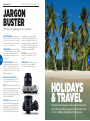
FOCUS ASSIST LIGHT In low
light this LED shines to aid
accurate focusing
NX ANATOMY: BEGINNER
LENS RELEASE BUTTON
Press and hold this to remove
and exchange lenses
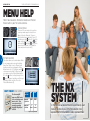
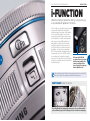
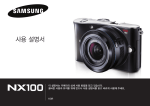
Let’s take a look at the key functions of the buttons and
dials of Samsung’s entry-level NX digital camera
DISP Scroll through the
information displayed on the
rear screen
FN This gives quick access to
some of the camera’s functions
that are specific to the exposure or
Scene modes
4
5
MICROPHONE Record the
sound of your HD movies
and for stills too
DISPLAY Review
your images
and movies and
navigate the
menu on the
super-bright, pin
sharp, colourful 3”
AMOLED display
MENU Press
this to access
the camera’s
complete list
of options and
customisation
PLAY Review
the images and
movies saved on
your SD memory
card
MULTIFUNCTION
JOG-WHEEL Make
fast adjustments
to the focus mode,
white balance,
ISO sensitivity
and the metering
mode. Also used to
navigate the menu
in the display and
change exposure
ZOOM WHEEL This enables you to check
the focusing and detail of your captured
image, or to change camera settings
SPEAKER
Listen
to your
movies
when in
playback
SMART SHOE For adding
optional Samsung accessories
such as an EVF, flash or GPS unit
MAIN CONTROL DIAL Use this
to change the camera’s automatic
exposure and Scene modes