1
SD-AT50
DX-AT50
ENGLISH
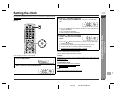
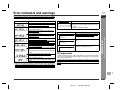
Setting
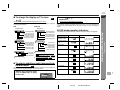
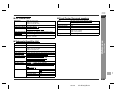
LANGUAGE
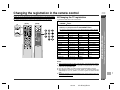
Selectable parameters (* indicates initial settings.)
AUDIO
ORIGINAL *
ENGLISH
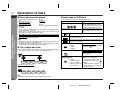
Description
Selects the language audible from the speakers.
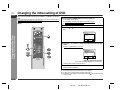
SELECT:
SET:
ENTER
SETUP CANCEL: RETURN
EXIT:
DISPLAY
SUBTITLE
OFF *
ENGLISH
Selects the subtitle displayed on the TV screen.
DISC MENU
ORIGINAL
ENGLISH *
Selects the disc menu language.
PLAYER MENU
ENGLISH *
FRANÇAIS
Selects the initial or playback setting language.
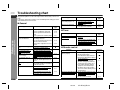
TV ASPECT
4:3 LETTER BOX
4:3 PAN & SCAN
16:9 WIDE
ON *
OFF
AUTO
ON *
OFF
ON *
OFF
OFF *
ON
BITSTREAM*
DPCM
ON *
OFF
AUTO *
48 kHz
96 kHz
ALL *
8-1
Please enter a 4-digital
password.
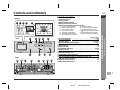
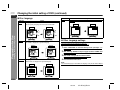
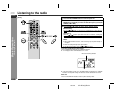
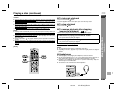
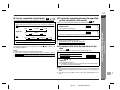
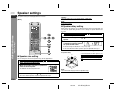
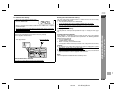
The screen mode should be set according to the connecting TV type. (For details, see page 22.)
SET-UP
DISPLAY CONTROLS
1.TV ASPECT
2.PANEL DISPLAY
3.ANGLE ICON
4.AUTO POWER OFF
4:3 LETTER BOX
ON
ON
ON
SELECT:
SET:
ENTER
SETUP CANCEL: RETURN
EXIT:
PANEL DISPLAY
ANGLE ICON
AUTO POWER OFF
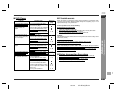
AUDIO
(Digital output)
Do not change the
initial settings.
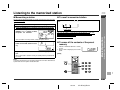
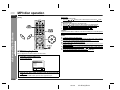
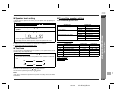
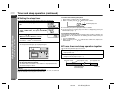
DRC
SET-UP
AUDIO CONTROLS
1.DRC
2.DOLBY DIGITAL
3.DTS
4.DOWN SAMPLING
OFF
BITSTREAM
ON
AUTO
SELECT:
SET:
ENTER
SETUP CANCEL: RETURN
EXIT:
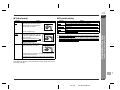
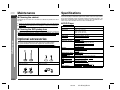
PARENTAL
DOLBY DIGITAL
DTS
DOWN SAMPLING
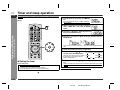
PARENTAL LEVEL
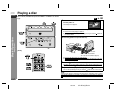
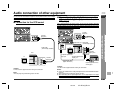
SET-UP
PARENTAL CONTROLS
1.PARENTAL LEVEL
2.CHANGE
ALL
CHANGE
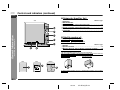
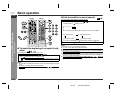
Brightness settings for display. (When set to auto, the light
turns off during playback.)
Sets or cancels angle icon ( ) display on the TV screen.
The power automatically turns off when no operation is entered more than 35 minutes.
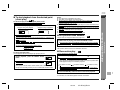
Sets or cancels the control over the volume range.
Selects the type of a sound signal sent from the coaxial digital audio output jack.
Preparation for Use
ORIGINAL
OFF
ORIGINAL
ENGLISH
1.AUDIO
2.SUBTITLE
3.DISC MENU
4.PLAYER MENU
- Changing the initial setting of DVD -
SET-UP
LANGUAGE CONTROLS
Converts the sound signal recorded by PCM of 96 kHz into
48 kHz.
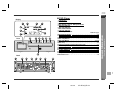
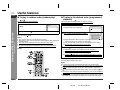
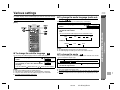
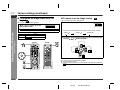
Sets the viewing restriction level of the DVD software.
Password setting or change
"4737" cannot be set as a password.
When you forget your password, cancel the current password
by pressing "4737" using the direct number buttons (0 - 9).
7
E-20
02/7/19
SD-AT50(U)E2.fm