1
Various settings
SD-AT50
DX-AT50
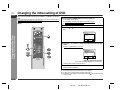
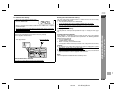
The subtitle language and the audio language you select are reset each time you
turn off the system or change the disc. To always play back the DVD in the preferred
languages, set them in the initial setting screen (see page 19).
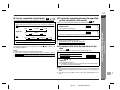
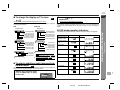
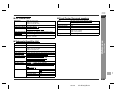
" To change the audio language (audio output)
[Back]
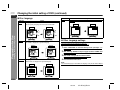
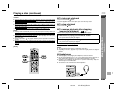
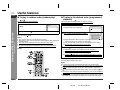
During playback, you can change the audio language (audio output).
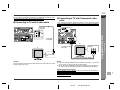
Within 5 seconds, press the AUDIO
the desired audio number.
DVD
1. ENG
(DTS 5.1 Surround)
button repeatedly to select
You can select one of audio languages that are recorded on a DVD.
ENG
SPA
FRE
Audio CD
STEREO
R-CH
L-CH
Notes:
! The audio language on some DVDs may not be changed.
! For audio language and audio system, refer to the manual of the disc.
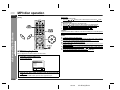
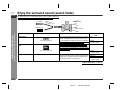
" To change the subtitle language
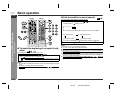
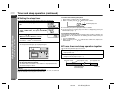
You can change the subtitle language or hide the subtitle during playback.
1
2
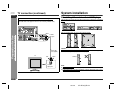
While a disc is playing, press the SUBTITLE
button.
Within 5 seconds, press the SUBTITLE
button repeatedly to select the desired subtitle
language.
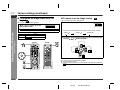
Press the SUBTITLE
button and then the
or
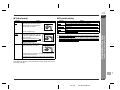
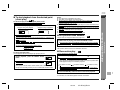
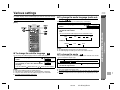
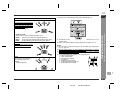
You can change the angle of view when playing a DVD video disc that contains
scenes recorded from multiple angles.
1.ENG/6
1
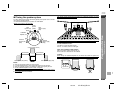
When " " is displayed in the upper right corner of the TV screen,
press the ANGLE button.
6.FRE/6
2
Within 5 seconds, press the ANGLE
the desired angle number.
button to hide the subtitle.
Notes:
!
!
!
!
" To change the angle
Some DVDs prohibit changing the subtitle language.
If no subtitles are recorded on the disc, "NOT AVAILABLE" is displayed.
It may take a little time to switch the subtitle language to the selected one.
The subtitle cannot be hided on some DVDs.
- Various settings -
2
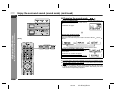
While a disc is playing, press the AUDIO
button.
Advanced Disc Features
1
ENGLISH
button repeatedly to select
Notes:
! Some DVDs prohibit changing the angle.
! The angle number is not displayed if the disc on which angle not recorded is
entered.
! Refer to the manual of the disc as the operation may vary depending on the disc.
7
E-34
02/7/19
SD-AT50(U)E4.fm