1
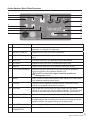
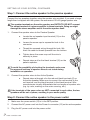
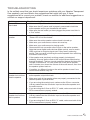
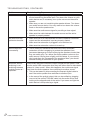
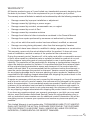
Active Speaker Back Plate Overview
6
2
3
8
9
10
–
4
5
1
+
–
+
–
+
11
12
13
7
14
#
Feature
Description
1
L-R switch
Used to select where active speaker is located as you face the
speakers. L= left side, R=right side.
2
DIGITAL COAX IN
Digital S/PDIF input for a coax connection.
3
ANALOG IN
Analog input for a 3.5 mm (sometimes called an 1/8 inch) stereo
plug.
4
SUB OUT
Line level output for an optional powered subwoofer.
5
OPTICAL
Digital S/PDIF input for a TOSLINK fiber optic plug.
6
USB IN
Digital Audio USB input for a standard USB type B plug.
7
TO OTHER SPEAKER
Amplifier OUTPUT terminals to connect the active speaker’s
internal amplifier to the passive speaker (15).
! DO NOT connect this output to another amplifier, as
damage can occur.
8
BASS
Bass control to adjust the system’s bass response to best match
your speaker placement and space.
9
TREBLE
Treble control to adjust the system’s treble response to best
match your speaker placement and space.
10
VOLUME
Use to set the volume level that works best with your audio
device. It is meant to be set once then forgotten. The day-to-day
volume control should be accomplished via your audio device.
11
Blue power LED
When lit, this indicates the speaker system is switched on.
12
POWER On/Off
Use to power the speaker system on or off. If the system is left in
the ON position with no activity, and no sound is being sent to the
speaker system, the system will go into a sleep mode.
13
AC INPUT
Power input for AC power cable that shipped with the system.
14
AUXILIARY POWER
CONNECTOR
Standard AC power that can be used to power your audio device.
www.vanatoo.com 7