1
Contents
1.0 - Serial MODBUS Gateway Overview
Features
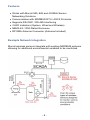
Example Network Integration
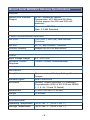
Monnit Serial MODBUS Gateway Specifications
3
5
5
6
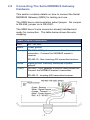
2.0 - Connecting the Serial MODBUS Gateway Hardware
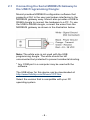
2.1 - Connecting to a USB Programming Dongle
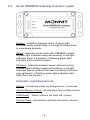
2.2 - Serial MODBUS Gateway Indicator Lights
7
8
9
3.0 - MODBUS Protocol Implementation
3.1 - Register Size
3.2 - Multi-byte Formatting
3.3 - Communication Defaults
3.4 - Communications Settings Reset Jumper
3.5 - Factory Reset
10
10
10
11
11
11
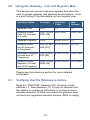
4.0 - Using the Gateway
4.0 - Gateway Coils
4.1 - Verifying that the Wireless is Active
4.2 - Resetting the Gateway
4.3 - Resetting the Wireless Network
4.4 - Resetting to Default Communications Settings
4.5 - Resetting the Gateway to Factory Settings
4.6 - Viewing and Modifying MODBUS Communications
4.7 - Viewing Registered Wireless Devices
4.8 - Adding a Wireless Device to the Gateway
4.9 - Verifying Wireless Device Activity
4.10 - Viewing Wireless Device Data (Fast Read Method)
4.11 - Viewing Wireless Device Data (Advanced Method)
4.12 - Configuring Wireless Devices
4.13 - Configuration Rules to Abide By
12
12
13
13
13
13
14
15
15
16
16
17
18
18
5.0 - Upgrading Gateway Firmware
19
Reference Section
Ref.1 - Gateway Coils
Ref.2 - Wireless Device Coils
Ref.3 - Gateway Registers
Ref.4 - Wireless Device List Registers
Ref.5 - Fast Read Registers
Ref.6 - Wireless Device Registers
20
22
23
26
26
27
Error Reporting, Troubleshooting and Support
Warranty Information
Certifications (FCC and IC)
32
32
34
-2-