1
59/98
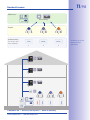
Managing Transponders
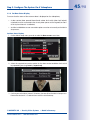
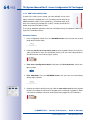
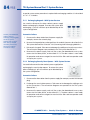
Assign contact – method 2 (with contact number): If you have specified a contact
number, enter it now and press the blue bell button. This sets up a new doorbell with
a voice mailbox that can be checked with the user card by holding it up to the keypad.
Assign contact – method 3 (with additional bell button module): If you are using
an additional bell button module (such as from the Siedle Vario range), press the
bell button that you wish to assign to the new user card as a contact.
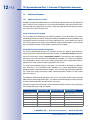
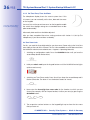
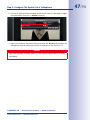
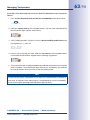
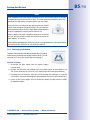
7. Assign individual personal number: If you have specified a personal number,
enter it now and press the OK/MENU button. If not, skip this step and the card
will automatically be assigned a new personal number.
0
9
Person No.
OK
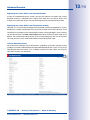
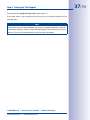
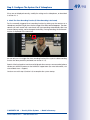
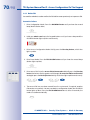
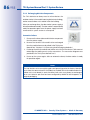
8. Assign individual transponder number: If you have specified a transponder number*,
enter it now and press the ESC/ALARM button until you hear the second beep.
If not, skip this step and the card will automatically be assigned a new transponder
number.
0
9
Transponder No.
ESC
hold (2nd beep)
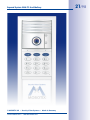
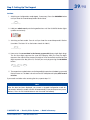
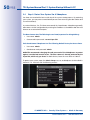
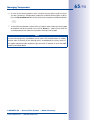
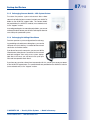
9. Present card: Hold the user card up to the keypad buttons until a beep sounds and
the keypad shows a flashing ring pattern. Make sure that the card does not touch
and inadvertently trigger any of the buttons.
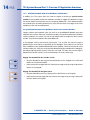
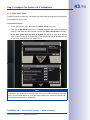
10. As soon as the flashing pattern stops, setup for the new user card is finished. You
are now back in configuration mode (the OK/MENU button lights up blue). Press
the ESC/ALARM button to exit. After 60 seconds, the mode is exited automatically.
ESC
Note
In case of a wrong entry, cancellation of entry via the ESC/ALARM button, or a delay
of more than 60 seconds, a low warning tone is sounded and the system reverts to
the regular operating mode (all buttons light up white). If required, re-enter into Add
mode as described above.
© MOBOTIX AG • Security Vision Systems • Made in Germany
www.mobotix.com • [email protected]
MOBOTIX recommends
setting up all the
cards and access PINs
associated with one
person to share the
same personal number
* For example, the last
digits of the imprinted
card serial no.