1
GETTING STARTED
Packing Checklist
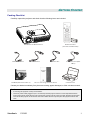
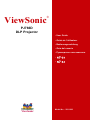
Carefully unpack the projector and check that the following items are included:
DLP PROJECTOR WITH LENS CAP
250V POWER CABLE
CD-ROM (THIS USER’S MANUAL)
USB CABLE
REMOTE CONTROL
(WITH TWO AAA BATTERIES)
S-VIDEO CABLE
MULTI-LANGUAGE QUICK START GUIDE
COMPUTER CABLE (DVIDB15)
CARRYING CASE
Contact your dealer immediately if any items are missing, appear damaged, or if the unit does not work.
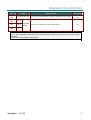
Caution:
1.
Avoid using the projector in dusty environments.
2.
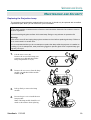
Leave the power cable plugged in (for 5-10 minutes) until the projector returns to room temperature before
placing the projector inside the soft case. Placing the projector into the case soon after switching off the power
could cause the projector to break down. Be sure to attach the lens cap and place the projector into the soft
case.
ViewSonic
PJ766D
1