1
3. I am not able to see any folders on my
Shared Storage Drive.
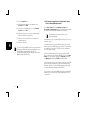
3. Make sure that“I want to be able to give others
access to my files” and “I want to be able to allow
others to print to my printer(s)” are checked.
Make sure that you have File and Print sharing enabled in your
operating system.
4. Click OK, to save your changes, and click OK once more
to close the Network window.
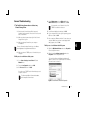
To Enable File and Print Sharing on a Windows 95/98 system:
5. Windows will ask you to insert your operating system
disk to install other necessary files.
1. Right-click Network Neighborhood and select
Properties.
2. From the Network window, click the File and Print
Sharing button.
6. Reboot your system for changes to take effect.
Windows 2000/XP have file and print sharing
enabled by default.
4
4. When I click the Shared Storage Drive icon in
Network Neighborhood, I’m asked for a password.
This can happen in the following situations:
• Your Windows Logon name is recognized by the Shared
Storage Drive, but your password is not. If you have a
different password for your Shared Storage Drive and you
don’t remember it, you will need to change your password. If
you are not the administrator of your Shared Storage Drive, ask
your administrator to change your password for you.
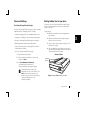
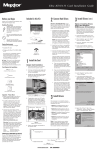
Figure 10. Windows95/98 - Network window
• Your Windows Logon name is not recognized by the
Shared Storage Drive, thus only providing you guest
access rights. If you are not the administrator of your Shared
Storage Drive, ask your administrator to create a user account
for you. To make your Shared Storage Drive logon name easy
to remember, use the same name and password as your
Windows Logon.
Troubleshooting
17