1
HD-CCTV DVR Features
Premium to your security
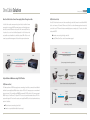
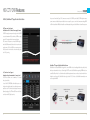
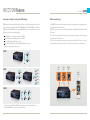
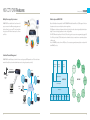
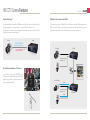
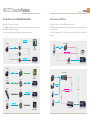
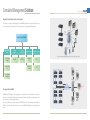
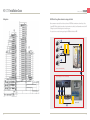
Easy network installation by Plug & Play
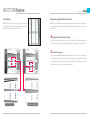
WNS (WEBGATE Naming Service)
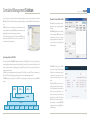
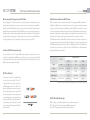
To remotely access to a DVR through internet which has dynamic IP address, you do not need to configure complicated router
setting. By merely activating UPnP protocol and WRS service at DVR menu, you can easily access to the DVR.
DVR
CMS
DHCP activated
Choose WRS server
UPnP activated
Enter Group ID
Enter Gruoup ID
Connecting successful
Choose DVR
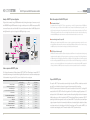
Auto Port Forward using UPnP
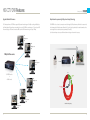
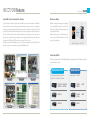
WRS(WEBGATE Registration Service)
If a DVR shares the port number to the router by UPnP protocol, the router can deliver the connection request from
an external source to the DVR automatically. Users don’t
need to configure the router.
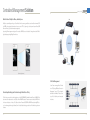
WRS is a network service that manages the DVR which has
both a public and dynamic IP. If the operator inputs a group
ID at DVR menu, the group ID is registered to WEBGATE’s
WRS server. Since the CMS shows the DVR list under the
same group ID by communication between CMS and WRS,
user can easily connect to the desired DVR. There is no
need to sign up for a membership, remember MAC address
or serial number.
33
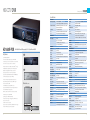
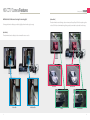
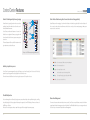
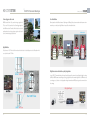
WNS is a DDNS service which was developed
and managed by WEBGATE. If used WNS servers, users can easily connect to the DVR by
assigned domain name.
Because WNS is served from a server located
in IDC(Internet Data Center) where can always
provide stable connection state, prompt action is possible even if any trouble occurs. The
user can directly configure the WNS service
through WNS webpage(www.mycam.to) or
DVR menu. Of course, user can use free DDNS
services such as www.dyndns.org or www.
no-ip.org.
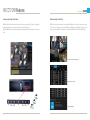
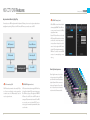
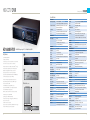
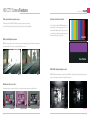
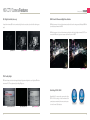
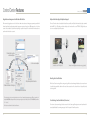
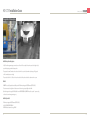
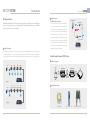
Frame by Frame step reverse
Due to high performance codec the latest
video processing technology, the DVR can
provide forward and reverse step-by-step
playback by frame. When the user wants to
find any single frame, it will be very effective. It is very useful in places like racetrack
and casino where all frames are valuable.
34