1
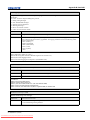
Table of Contents
1: Introduction
1.1 Labels and Markings ...................................................................................................................1-1
1.2 AC / Power Precautions...............................................................................................................1-2
1.3 Lamp Precautions ........................................................................................................................1-2
1.4 Contact Your Dealer ....................................................................................................................1-3
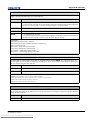
2: Installation and Setup
2.1 Site Requirements........................................................................................................................2-1
2.2 Tools Required for Installation....................................................................................................2-1
2.3 Projector Components .................................................................................................................2-2
2.4 Installation Safety and Warning Guidelines ................................................................................2-5
2.5 Position the Projector...................................................................................................................2-5
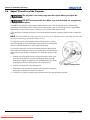
2.6 Adjust Tilt and Level the Projector .............................................................................................2-6
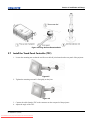
2.7 Install the Touch Panel Controller (TPC)....................................................................................2-7
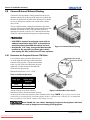
2.8 Connect External Exhaust Ducting..............................................................................................2-8
2.8.1 Determine the Projector Exhaust CFM Value .....................................................................2-8
2.9 Remove the Shroud ................................................................................................................................2-9
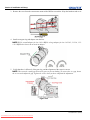
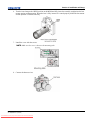
2.10 Install the Primary Lens.............................................................................................................2-9
2.11 Install the Optional Anamorphic Lens.......................................................................................2-12
2.12 Install the Optional Wide Converter Lens .................................................................................2-12
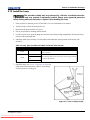
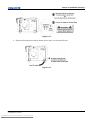
2.13 Install the Lamp .........................................................................................................................2-13
2.14 Connect the Projector to AC Power with a Permanent Connection ..........................................2-14
2.15 Connect the Projector to AC Power with a Pluggable Type B Connection ..............................2-16
2.16 Configure the Optional Uninterrupted Power Supply ...............................................................2-17
2.17 Connect Sources and Turn the Projector On .............................................................................2-17
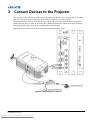
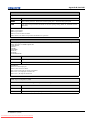
3: Connect Devices to the Projector
3.1 Connect a Computer or Server ....................................................................................................3-3
3.2 Connect Devices to the SCCI Port ..............................................................................................3-4
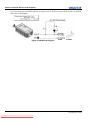
3.3 Connect Devices to the GPIO Port ..............................................................................................3-5
3.4 Connect Devices to the 3D Connector ........................................................................................3-7
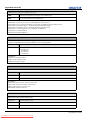
4: Adjust the Image
4.1 Maximize Light Output ...............................................................................................................4-1
4.2 Calibrate Screen Brightness (fL) .................................................................................................4-1
4.3 Basic Image Alignment ...............................................................................................................4-1
4.4 Adjust Offset................................................................................................................................4-2
4.5 Adjust Offset with an ILS............................................................................................................4-2
4.6 Adjust Left and Right Boresight..................................................................................................4-2
4.7 Adjust Top and Bottom Boresight...............................................................................................4-4
4.8 Adjust Top and Bottom Boresight with an ILS ...........................................................................4-5
4.9 Adjust DMD Convergence ..........................................................................................................4-5
4.10 Fold Mirror Adjustment.............................................................................................................4-6
4.11 Calibrating the System...............................................................................................................4-6
4.12 Color Calibration .......................................................................................................................4-7
D4K25 User Manual
020-100882-02 Rev. 1 (07-2012)
Downloaded From projector-manual.com Christie Manuals
i