1
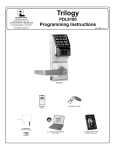
NETWORXPANEL & NETPDK / NETDK KEYPADS
THE ALARM LOCK TRILOGY SERIES STAND-ALONE AND NETWORK PROGRAMMABLE ACCESS CONTROL
SYSTEM IS A SERIES OF STATE-OF-THE-ART W IRELESS AND KEYPAD-ENTRY PROGRAMMABLE SECURITY DEVICES.
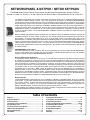
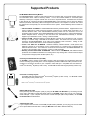
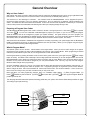
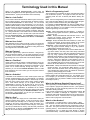
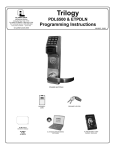
The NETDK and NETPDK (with proximity card reader) are secured single-door or double-door digital keypads for
use within the wireless Networx™ system. One or two keypads can be wired to the dedicated NETWORXPANEL
control panel to provide controlled access to a door by releasing a locking device (such as a magnetic lock or electric
door strike) when a proper User Code (and/or a proximity credential to the NETPDK) is presented. The NETWORXPANEL inputs support two of any combination of NETDK or NETPDK keypads, PLUS up to two Wiegand devices. If
a special "Two-Door Mode" is programmed, up to two doors can be controlled using two keypads, with one keypad
(designated as "primary") controlling door #1 and another keypad (designated as "secondary") controlling door #2.
To set up "Two Door Mode", see the NETWORXPANEL installation instructions (WI1856) for complete wiring and
setup information.
NETPDK
NETDK
Both the NETDK and NETPDK operate identically (the only difference being the NETPDK includes an integral HID
compatible ProxCard® proximity reader), therefore this one manual includes keypad programming instructions for
both keypads. Be aware that all references to "Prox" or the proximity reader in this manual apply ONLY to the
NETPDK model. In addition, although the NETPDK and NETDK keypads do not possess the internal hardware of a
lockset, for the purposes of this manual, the term "lock" may be used to describe either keypad and/or other wireless
locksets within the wireless Networx system. The word "system" may be used to describe the NETWORXPANEL
and its keypads, Wiegand and controlled door locking devices. The specific model name "NETPDK" or "NETDK" will
be used as needed.
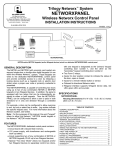
NETWORXPANEL Control Panel
This manual describes a variety of features that can be programmed into and stored within the NETWORXPANEL
memory; these features can be programmed using the NETDK or NETPDK keypad buttons or from a DL-Windows
equipped computer through the NETWORXPANEL's radio link.
Wireless Network and DL-Windows
If your Networx wireless network is not yet set up, you can add Users and program other features using the keypad
as a temporary convenience to allow the lock to be put into use before installing the wireless network. Be aware that
all programming added using the keypad cannot be retrieved into DL-Windows, so if you decide to start programming
using the keypad, we recommend you keep hardcopy records (in a secure location) of all Users, User Codes, and
any proximity cards that may have been programmed. Keeping these hardcopy records will save time because after
the wireless network is set up, all programming added via the keypad can easily be re-added to DL-Windows and
downloaded back to the lock(s). Note: Within DL-Windows, select lock type "NETWX PNL" for all NETPDK or
NETDK keypads. There is no need to distinguish between models, because the NETWORXPANEL will auto-detect
the presence of the NETPDK's Proximity reader. DL-Windows always assumes the NETWORXPANEL keypad is a
NETPDK, therefore proximity card data may be added to DL-Windows and downloaded to the NETWORXPANEL,
but if the only keypad wired is a NETDK, the NETWORXPANEL will ignore the proximity data.
Wiegand Devices
The NETWORXPANEL inputs support two of any combination of NETDK or NETPDK keypads, PLUS up to two Wiegand devices. In most cases, features may also be programmed using Wiegand devices that are equipped with their
own keypads; however, be aware that some Wiegand device designs may interfere with the smooth ability to program the system. For ease of use, we therefore recommend all programming be performed using either the
NETDK / NETPDK keypads or with DL-Windows through the wireless Networx™ system.
For DL-Windows user operation instructions, see OI237; for Networx configuration and setup instructions, see OI352.
For NETWORXPANEL installation instructions, see WI1856.
Table of Contents
Features..................................................................................... 3
Supported Products ................................................................. 4
General Overview ..................................................................... 5
Terminology Used in this Manual ........................................... 6
Programming Levels................................................................ 8
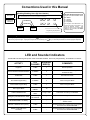
Conventions Used in this Manual........................................... 9
LED and Sounder Indicators ................................................... 9
Wiring and Power Up ............................................................. 10
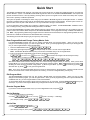
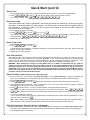
Quick Start............................................................................... 11
2
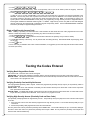
Testing the Codes Entered .................................................... 13
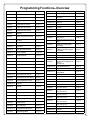
Programming Functions Overview ...................................... 14
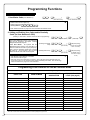
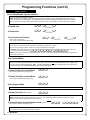
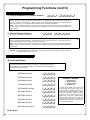
Programming Functions...................................................15-27
Groups and Scheduled Group 1 Examples ....................28-29
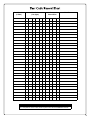
Programming Record Sheet.................................................. 30
User Code Record Sheet ....................................................... 31
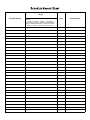
Schedule Record Sheet ......................................................... 33
Glossary .............................................................................35-36
Warranty .................................................................................. 36