1
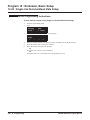
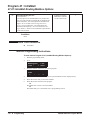
Program 84 : Hardware Setup for VoIP
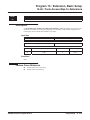
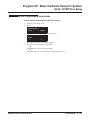
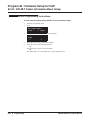
84-01 : Codec Information Basic Setup
Program 84 : Hardware Setup for VoIP
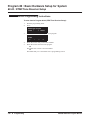
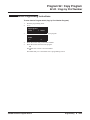
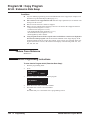
84-01 : Codec Information Basic Setup
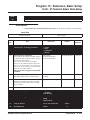
Level:
Feature Availability
IN
•
Available.
Description
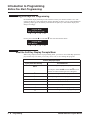
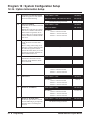
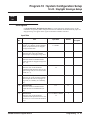
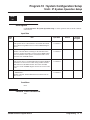
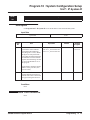
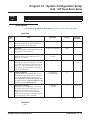
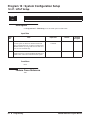
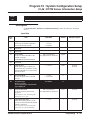
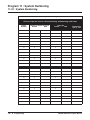
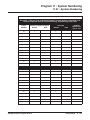
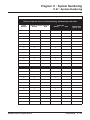
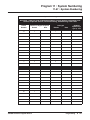
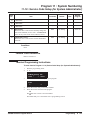
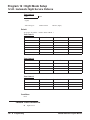
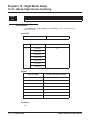
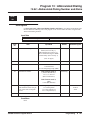
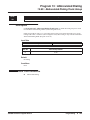
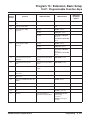
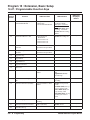
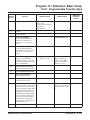
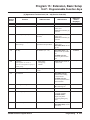
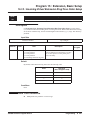
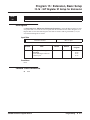
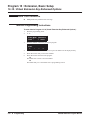
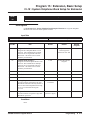
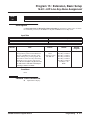
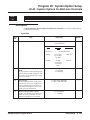
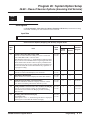
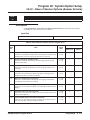
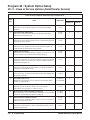
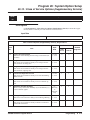
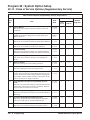
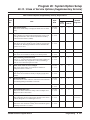
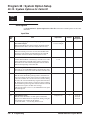
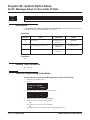
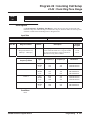
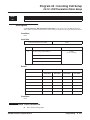
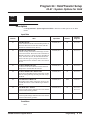
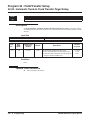
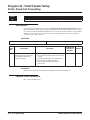
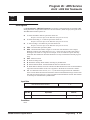
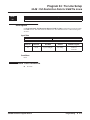
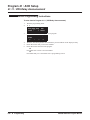
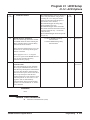
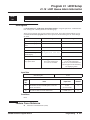
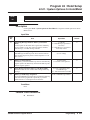
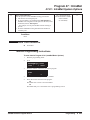
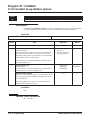
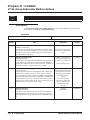
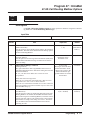
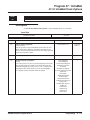
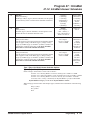
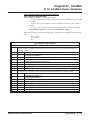
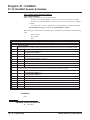
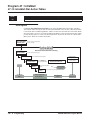
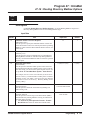
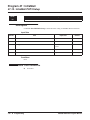
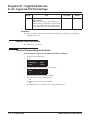
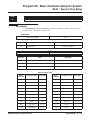
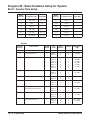
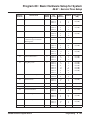
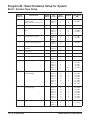
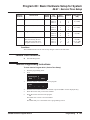
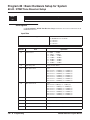
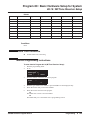
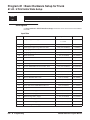
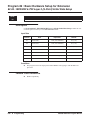
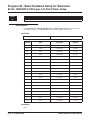
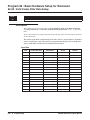
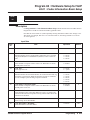
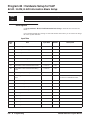
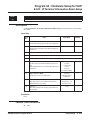
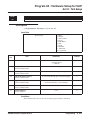
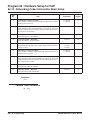
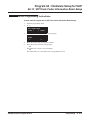
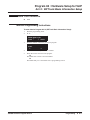
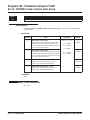
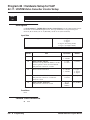
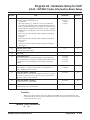
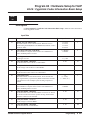
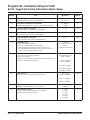
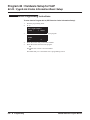
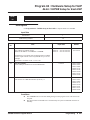
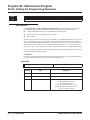
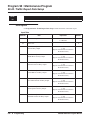
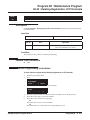
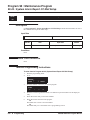
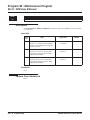
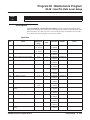
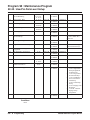
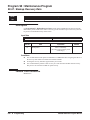
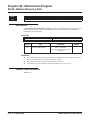
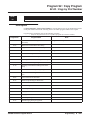
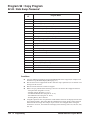
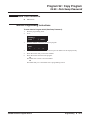
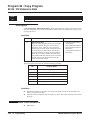
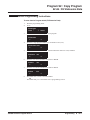
Use Program 84-01 : Codec Information Basic Setup to define the data of H.323 trunks. Refer to
Program 84-12 for H.323 extensions and IP CygniLink Codecs.
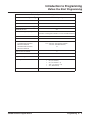
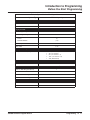
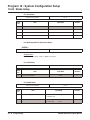
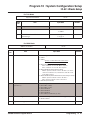
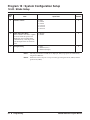
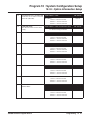
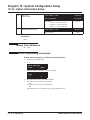
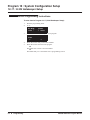
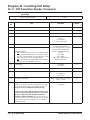
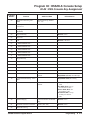
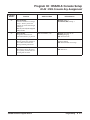
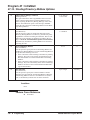
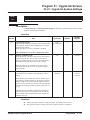
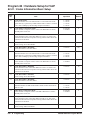
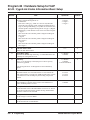
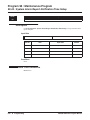
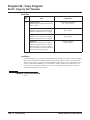
Note that the value of Item 33 (Audio Capability Priority) determines which codec settings to use.
This means, for example, that if G.711 is selected in Item 33, the settings in Items 5-12 and 1921 will be ignored.
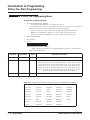
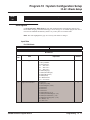
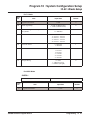
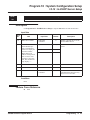
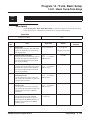
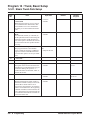
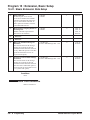
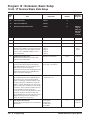
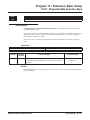
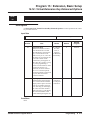
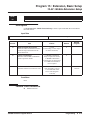
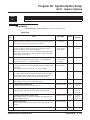
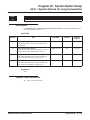
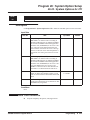
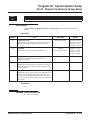
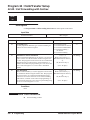
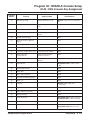
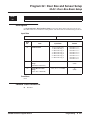
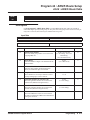
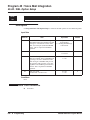
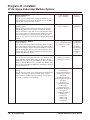
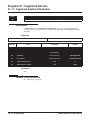
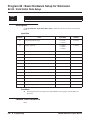
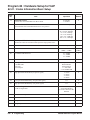
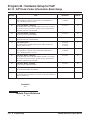
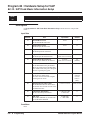
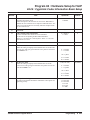
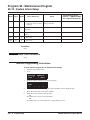
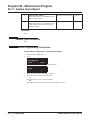
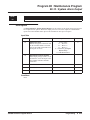
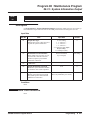
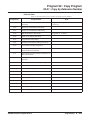
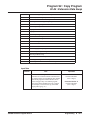
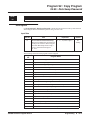
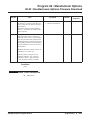
Input Data
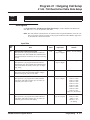
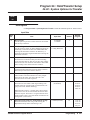
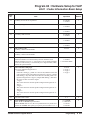
Item
No.
Item
Input Data
Default
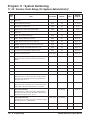
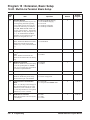
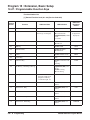
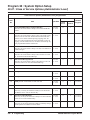
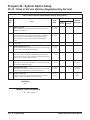
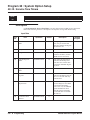
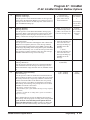
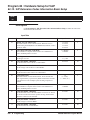
01
-- Not Used --
02
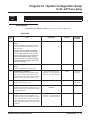
Number of G.711 Audio Frame
Maximum number of G711 Audio Frames. When the voice is encoded
using the PCM (Pulse Code Modulation) method, a unit is a frame of
10ms.
1 = 10 ms
2 = 20 ms
3 = 30 ms
4 = 40 ms
3
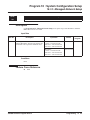
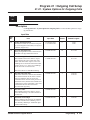
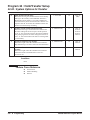
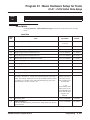
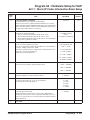
03
G.711 Silence Detection Mode
Select whether to compress silence with G.711. When there is silence,
the RTP packet is not sent.
0 = Disable
1 = Enable
0
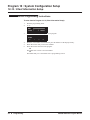
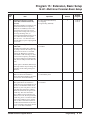
04
G.711 Type
Set the type of G.711.
0 = A-law
1 = µ-law
1
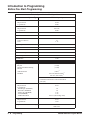
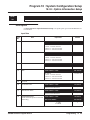
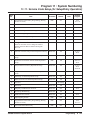
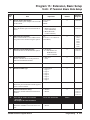
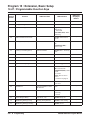
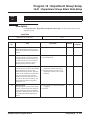
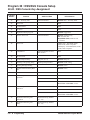
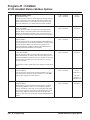
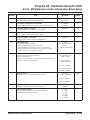
05
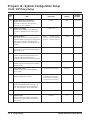
G.729 Audio Frame
Maximum number of G729 Audio Frames. G.729 assumes the audio signal made by a specimen by 8kHz and the frame of 10ms is assumed to
be a unit to 8kbps by the encoding compressed method.
1 = 10 ms
2 = 20 ms
3 = 30 ms
4 = 40 ms
5 = 50 ms
6 = 60 ms
3
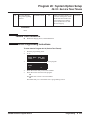
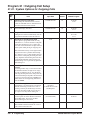
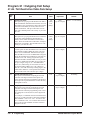
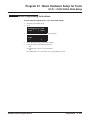
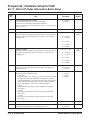
06
G.729 Silence Compression Mode
Select whether to compress silence with G.729. When there is silence,
the RTP packet is not sent.
0 = Disable
1 = Enable
0
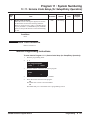
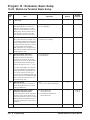
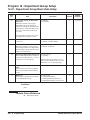
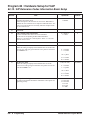
07
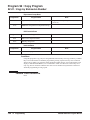
G.729 Jitter Buffer - Minimum
Set the minimum value of the Jitter Buffer of G.729 is set. Jitter is the
variation in the time between packets arriving and the buffer allows this
variation to be absorbed.
0-270 ms
30
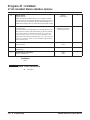
08
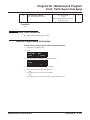
G.729 Jitter Buffer - Standard
Set the average G.729 Jitter Buffer.
0-270 ms
60
09
G.729 Jitter Buffer - Maximum
Set the maximum G.729 Jitter Buffer.
0-270 ms
120
UX5000 Software Program Manual
Programming ◆ 839