1
(Continued)
I Up to 255 tracks can be named on each disc, and each disc can be given
a disc name.
Notes:
Number of characters you can enter
H Disc names and track names
Up to 100 characters (including spaces) can be entered for each name,
If more than 100 characters are entered, “NAME FULL” will appear.
H Total number of characters per MiniDisc
A total of approximately 1700 characters can be used for all of the disc
and track names. If more than 1700 characters are entered, “TOC
FULL” will appear.
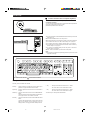
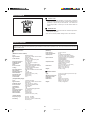
H To create a disc name
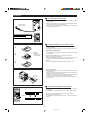
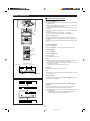
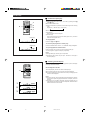
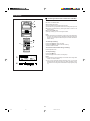
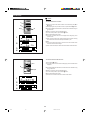
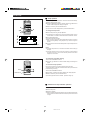
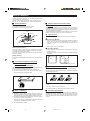
1
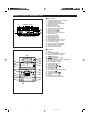
Press the MD H button.
I The total number of tracks and the total playing time for the MD will
appear.
1
2
2,7
2,5
5
3
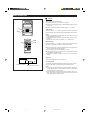
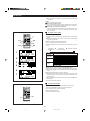
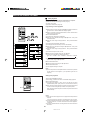
Within 10 seconds, press the ENTER button.
I The unit will enter the character input mode.
4
4
2,5
3,6
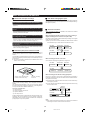
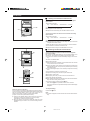
Press the NAME/TOC EDIT button, and then select “DISC NAME”
using the ▲ or ▼ button.
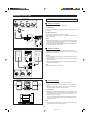
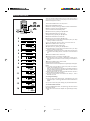
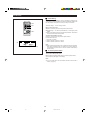
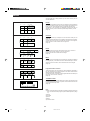
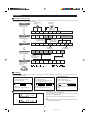
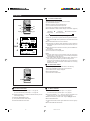
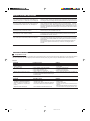
Press the DISPLAY button to select the type of characters you want to
use.
©
Alphabetics
(lower-case letters)
©
Numbers or symbols
©
Alphabetics
(capital letters)
1
Type of
characters
2
3
5
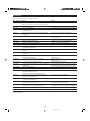
Characters
Capital letters
A B C D E F G H I J K L M N O
P Q R S T U V W X Y Z . ,
Lower-case
letters
a b c d
p q r s
e f g h i j
t u v w x y
k l
z .
m n o
,
Symbols
1 2 3 4
( )
& ’
? @ _
5 6 7 8 9 0
* + , – .
!
:
# $ %
< = >
"
;
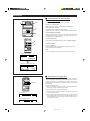
5
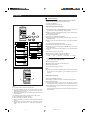
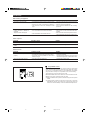
Select the character you wish using the 1/0/▲/▼ buttons.
I When the ▲ or ▼ button is pressed, the following 5 letters will appear.
I Each time the 1 or 0 button is pressed, the cursor will move to the next
letter.
Cursor
6
6
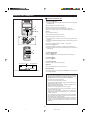
Press the ENTER button to enter the character.
I Repeat steps 4 to 6 above to enter the characters of the name. When
the next character’s type is the same as the previous character, step 4
can be skipped.
7
7
After entering all of the characters in the name, press the NAME/TOC
EDIT button.
I The disc name will be recorded.
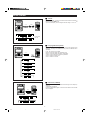
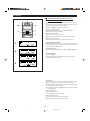
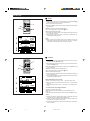
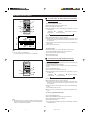
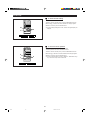
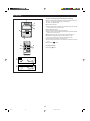
H To erase disc names
After performing steps 1 to 3 mentioned above, do the following:
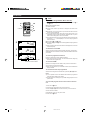
1
Press the TIMER/DELETE button for at least 2 seconds.
I The "NAME CLEAR?" display will appear.
2
Press the ENTER button.
I The disc name will be erased.
2
1
25
*22-34
25
98.6.23, 10:10 AM