1
REPLACING SUPPLY ROLLS
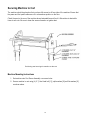
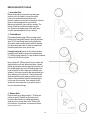
1 - Insert New Rolls
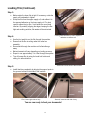
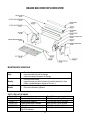
Before starting this process make sure the power
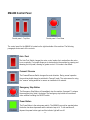
switch is in the off position, the auto/foot switch
is set to foot and the directional switch set to
forward. Locate the colored dots on the supply roll ends.
Each roll will be designated as top or bottom.
Matching colored dots, place rolls into machine. The
bottom roll will have a laminated starter ready for
use. [Starter is the leading edge of film which does
not have exposed adhesive on top or bottom]
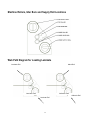
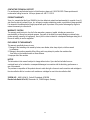
2 - Thread Material
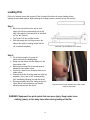
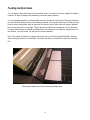
Place starter [leading edge of film] on rubber rollers
following the routing path [shown to the right] and feed
about 4” (100mm) through machine by pressing the
Auto switch, make sure the forward switch is selected,
next press the power button to advance material and
press the power button once more to stop.
If using a foot pedal, select the foot switch and then
pressing the foot pedal to advance the material about
4” (100mm) through machine. To stop the feed of material
Lift your foot off of the foot pedal.
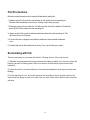
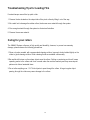
Next, pull about 8” (200mm) from the top roll down and
align with bottom roll start while pulling down. Spread
the film by pulling the material taught and press top roll
film (leading edge) onto lower roll (leading edge). Run
hand across the top film to adhere to the bottom rolls
adhesive. Take care to keep film flat and stretched tight
when adhering to the bottom roll. This will reduce film
waste and wrinkling when advancing film through the
machine. Ensure material exits the machine properly
out the rear of the machine. Once material is flat &
wrinkle free, trim excess film so you will be ready to
run your documents through.
3 - Remove Rolls
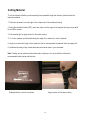
Remove feed tray by lifting up about 1" (25mm) and
pulling out gently. Carefully cut film from top roll
using the upper idler bar as a blade guide taking
great care not to cut the rubber roller. Slide top roll
out of machine. Put machine in reverse and remove
film from bottom roller.
24