1
Operating Instructions
When leaving the premises, the system should be
Armed. However, before doing so, check that all
windows are closed and locked, all protected doors
are closed and PIR Detectors are not obstructed.
Ensure that pets are restricted to areas not protected
by PIR Detectors.
Arming the System
ARM
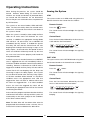
The system can be set in ARM mode using either the
Remote Control or the Control Panel as follows:
Remote Control:
The system has two armed modes, ARM and PARTARM. The Part-Arm facility allows for selected zones
to be left in a Disarmed state while the remainder of
the system is Armed.
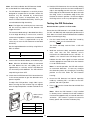
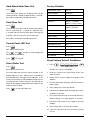
Press the
button.
The Control Panel will acknowledge the signal by
beeping.
When the system is Armed (in either mode) the Zone
LEDs for all active zones will illuminate for a few
seconds, in addition the appropriate Arming Mode
LED will flash. All active zones set as INSTANT will
immediately be fully Armed. If enabled the System
Exit delay will start and the Control Panel will start
beeping with the beep rate increasing in steps as the
delay expires. At the end of the Exit period all active
zones set to DELAY will be fully Armed. By this time
the user must have left the property and closed the
final protected door.
Control Panel:
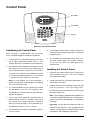
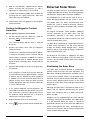
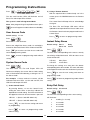
Press the Arm button followed by the User Access
Code and then the Enter button:
,
?
?
?
?
,
User Access Code
The Control Panel will acknowledge the signal by
beeping.
PART- ARM
If while the system is armed a Detector on an INSTANT
zone is triggered then this will immediately initiate a
Full Alarm condition with both Control Panel and Siren
sounding. However, if a Detector on a DELAY zone is
triggered, if enabled, the Entry Delay will start and the
Control Panel will start beeping with the beep rate
increasing in steps as the delay expires. If the system
has not been Disarmed when the Entry Delay expires
a Full Alarm condition will be initiated. If a Full Alarm
condition occurs the appropriate zone LED that
triggered the alarm will flash to indicate which zone
the alarm was triggered from. If an alarm condition
occurs, the zone that triggered the alarm will be
indicated by the appropriate zone LED on the Control
Panel being illuminated.
The system can be set in PART-ARM mode using either
the Remote Control or the Control Panel as follows:
At the end of the programmed alarm duration the Siren
and Control Panel alarms will stop and the system will
automatically re-Arm itself, (subject to the conditions
of the Zone Lockout feature).
The Control Panel will acknowledge the signal by
beeping.
Remote Control:
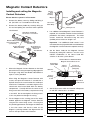
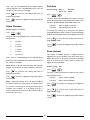
Press the
button.
The Control Panel will acknowledge the signal by
beeping.
Control Panel:
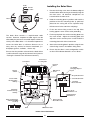
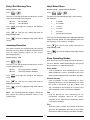
Press the Part - Arm button followed by the User
Access Code and then the Enter button:
,
?
?
?
?
,
User Access Code
Note: The Solar Siren will shut down either after the
programmed alarm duration or after 3 minutes, if the 3
minute limit has been enabled on the Solar Siren.
24