1
3
Using the Software
Editing the Program Curve
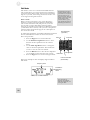
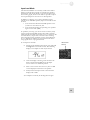
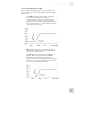
There are two ways to change the equalizer settings. The first
way is to click on one of the colored dots in the Curve space
and drag it to the point on the graph that corresponds to the
desired Frequency and Gain settings for that Band.
As you move the colored dot, the graphic controls for the
corresponding Band will move also, and display the numerical
values for that Band’s settings. The only value that will not
change with this method is the Q. To change that parameter,
click on its knob and drag it through its positions.
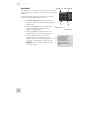
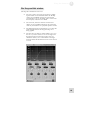
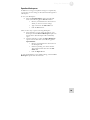
The second way to change equalizer settings is through the
Controls at the bottom of the EQ tab window.
Each column has a colored “Band” label that corresponds to
the colored dot in the Curve space. The Band’s Gain is
controlled by the vertical slider, while its Frequency is
represented by the upper knob and its Q is represented by the
lower knob. To adjust any of these settings, click on the
proper graphic and drag it through the available values.
26