1
Installing the rails
1. Install cage nuts in the appropriate
position.
2. Push tabs and snap rails into place.
3. Add the stopping bracket. The smaller
holes in the stopping bracket act as a
washer. The bolt heads are smaller
than the riser opening and slide if the
stopping bracket is not installed.
(Note: Refer to the Getting Started
guide1 for additional installation
details.)
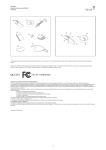
Figure 2: Rail and rack installation.
1
http://www.dell.com/support/Manuals/us/en/19/product/poweredge-c8000
A quick and easy guide to setting up the Dell PowerEdge C8000
A Principled Technologies setup guide 4