1
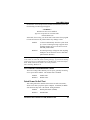
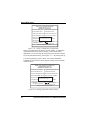
Award BIOS Setup controller supports two separate hard drives, you can select the interrupt number (the INT#; the possible values are A, B, C, or D) for each. Note that the primary drive always has a lower interrupt than the secondary drive. Onboard PCI SCSI Chip Default is Disabled. The IPC-551 SBC does not support SCSI. 5-8 Load BIOS Defaults Auto Configuration with BIOS Defaults Choosing LOAD BIOS DEFAULTS from the CMOS Setup Utility menu will restore default BIOS values to the PC. Invoking LOAD BIOS DEFAULTS will bring up this dialog box: Load BIOS Default ( Y ? N ) ? Y To use the BIOS defaults, change the prompt to Y and press Enter ; the default BIOS values will be loaded into CMOS automatically the next time you power up the IPC-551. Load BIOS Defaults are the same as Load Setup Defaults. 5-9 Load Setup Defaults Auto Configuration with Setup Defaults Choosing LOAD SETUP DEFAULTS from the CMOS Setup Utility menu will restore default SETUP values to the PC. Invoking LOAD SETUP DEFAULTS brings up this dialog box: Load SETUP Default ( Y ? N ) ? Y To use the SETUP defaults, change the prompt to Y and press <Enter>; the default SETUP values will be loaded into the CMOS automatically the next time you power up the IPC-551. Load Setup Defaults are the same as Load BIOS Defaults. CommPlete Series 4000 Server SBC, Model IPC-551 63