1
Welcome
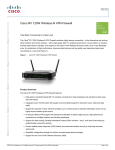
Thank you for choosing the Cisco Small Business RV 120W Wireless-N
VPN Firewall. The Cisco RV 120W provides secure, high-speed wireless
network access and advanced security features for your small business.
This guide describes how to physically install your Cisco RV 120W, start
the Setup Wizard, and launch the web-based Cisco RV 120W
Configuration Utility.
1
Before You Begin
Before you begin the installation, make sure that you have the following
equipment and services:
Required
• Functional Internet Connection (Broadband DSL or cable modem).
• Ethernet cable for WAN (Internet) connection (provided).
• PC with functional network adapter (Ethernet connection) to run the
Setup Wizard or the configuration utility. The Setup Wizard is supported
on Microsoft Windows 2000, Windows XP, Windows Vista, and
Windows 7. You must have Microsoft Core XML Services (MSXML)
software installed on the PC to run the Setup Wizard. MSXML is
available from the following location:
http://www.microsoft.com/windows/downloads/
The configuration utility is supported on the following web browsers:
–
Microsoft Internet Explorer 6.0 and later
–
Mozilla Firefox 3.0 and later
–
Apple Safari 3.0 or later.
• Software CD containing the Setup Wizard (provided).
Optional
• Uninterruptible Power Supply (UPS) to provide backup power to
essential devices (strongly recommended).
• Ethernet cables for LAN interfaces to connect additional devices
(optional).
2
Cisco Small Business RV 120W Quick Start Guide