1
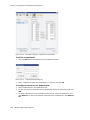
Setting up Extensions
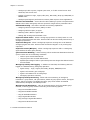
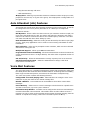
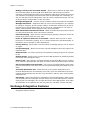
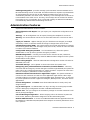
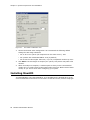
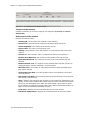
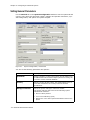
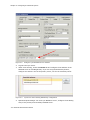
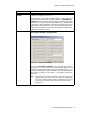
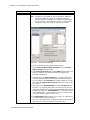
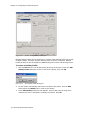
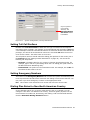
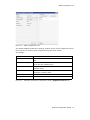
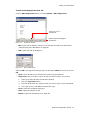
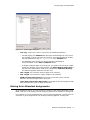
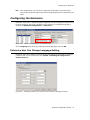
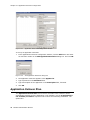
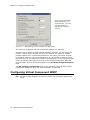
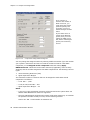
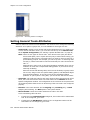
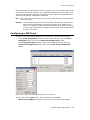
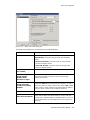
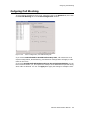
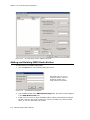
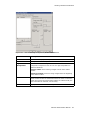
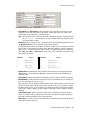
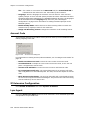
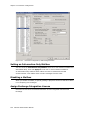
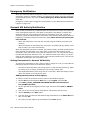
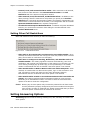
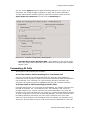
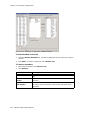
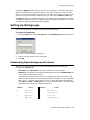
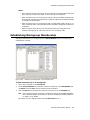
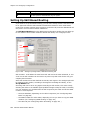
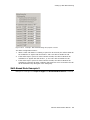
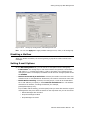
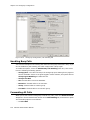
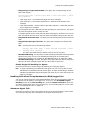
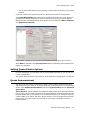
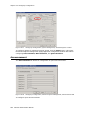
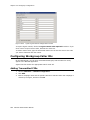
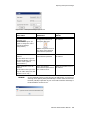
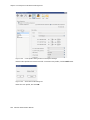
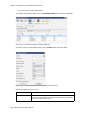
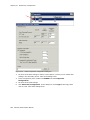
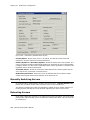
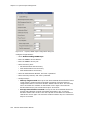
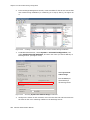
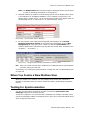
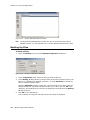
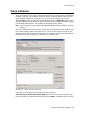
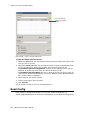
Figure 15-3.
General tab, top section
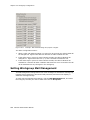
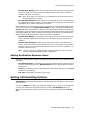
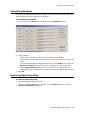
• First Name and Last Name of the extension user, each with a maximum of 32
characters. First and last names must match exactly with their Lync Client user
counterparts when setting up a MaxACD agent.
Note: Only letters can be used for these fields. Inputting numbers or symbols (such
as “#”, “*”, “/”, “-” are blocked, so as not to conflict with Dial by Name (#34)
and other feature codes.
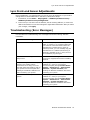
• Password for the extension user. The default is the system default password set on
the Number Plan tab in the System Configuration window.
A valid password must be 4 to 8 digits (numbers or letters A-Z) in length and cannot
be the same as its extension number. Basic password patterns, such as repeated
digits (1111), consecutive digits strings (1234), or digits that match the extension
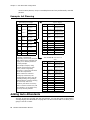
(Ext. 101 using 1012, 9101, 10101, and so on) are not allowed. The letters map
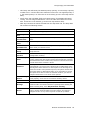
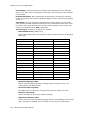
to numbers as follows:
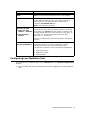
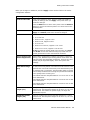
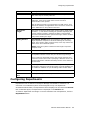
Numbers
Letters
Numbers
Letters
2
A, B, C, a, b, c
6
M, N, O, m, n, o
3
D, E, F, d, e, f
7
P, Q, R, S, p, q, r, s
4
G, H, I, g, h, i
8
T, U, V, t, u, v
5
J, K, L, j, k, l
9
W, X, Y, Z, w, x, y, z
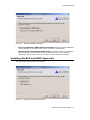
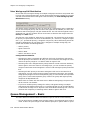
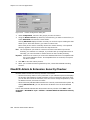
• Department—Departments can be defined and extensions can be assigned to a
department by using Enterprise Manager. When this is done, the department is
displayed here.
• Description—Optional descriptive information such as cubicle number or job title.
• DID Number—If this extension is being set up to correspond to a Lync Client user,
fill in the same DID as the Lync user.
Each extension can be assigned a DID number. This number does not have a fixed
length, but the length must be long enough (range 2–16) for the system to match
the DID incoming call. If you configure a 10-digit DID number and inbound digital
trunks only receive 4 digits, the last 4 digits of the DID number configured will be
matched.
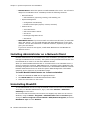
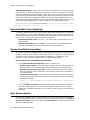
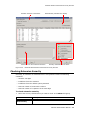
• Transmitted CID—Each extension number can be assigned a caller ID number.
When an outgoing call is made by this extension, the caller ID number entered in
this field will be transmitted to the receiving caller.
• E911 CID—A number entered in this field will be transmitted as the caller ID for 911
calls made by this extension.
MaxACD Administrator Manual
125