1
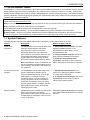
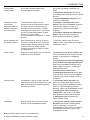
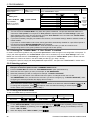
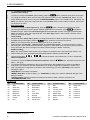
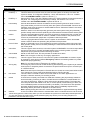
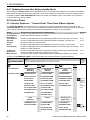
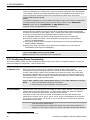
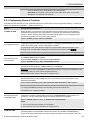
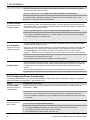
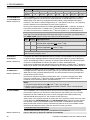
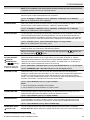
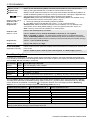
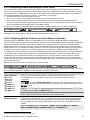
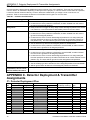
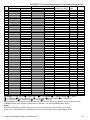
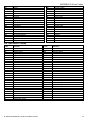
APPENDIX C. Detector Deployment & Transmitter Assignments B2. Common Areas Common areas are areas used as walkthrough zones to areas of 2 or more partitions. There may be more than one common area in an installation depending on the layout of the property. A common area is not the same as a partition; it cannot be armed / disarmed directly. Common areas are created when you assign a zone or zones to 2 or 3 partitions. Table A1 summarizes the behavior of the different zone types in a common area. Table A1 – Common Area Definitions Common area zone types Perimeter Definition Acts as defined only after the last assigned partition is armed AWAY or HOME. In case that one of the partitions is disarmed, an alarm initiated from this zone is ignored for all assigned partitions. Delay zones Delay zones will not trigger an entry delay unless all assigned partitions are armed. Perimeter follower Act as defined only after the last assigned partition is armed AWAY or HOME. Interior Acts as defined only after the last assigned partition is armed AWAY. It is, therefore, not recommended to define delay zones as common areas. In case that one of the partitions is disarmed, an alarm initiated from this zone is ignored for all assigned partitions. In case that one of the common area assigned partitions is in a delay state (and the other partitions are armed), the alarm will behave as a perimeter follower for this partition only. The event will be ignored for other assigned armed partitions. In case that one of the partitions is disarmed or armed HOME, an alarm initiated from this zone is ignored for all assigned partitions. Acts as defined only after the last assigned partition is armed AWAY. Interior follower In case that one of the partitions is disarmed or armed HOME, an alarm initiated from this zone is ignored for all assigned partitions. In case that one of the common area assigned partitions is in a delay state (and the other partitions are armed), the alarm will behave as an interior follower for this partition only. The event will be ignored for other assigned armed partitions. Acts as a Perimeter-Follower type when all assigned partitions are armed AWAY. Acts as a Delay type when at least one of the assigned partitions is armed HOME. Will be ignored when at least one of the assigned partitions is disarmed. Home / Delay Emergency; Fire; Flood; Gas; Temperature; 24-hour silent; 24-hour audible; Non-alarm Always armed. APPENDIX C. Detector Deployment & Transmitter Assignments C1. Detector Deployment Plan Zone No. 1 2 3 4 5 6 7 8 9 10 11 12 13 14 15 72 Zone Type Default Delay 1 Delay 1 Delay 2 Perimeter Perimeter Interior Interior Perimeter Perimeter Perimeter Interior Interior Perimeter Perimeter Interior Programmed Location Default Front Door Garage Garage Door Back Door Child Room Office Dining Room Dining Room Kitchen Living Room Living Room Bedroom Bedroom Guest Room Master Bedroom Chime (melody Sensor Programmed Location) or Off (*) Type Holder D-303222 PowerMaster-10/30 G2 Installer's Guide