1
SD Advanced
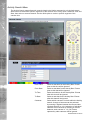
Web Cam
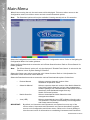
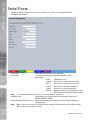
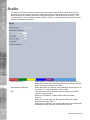
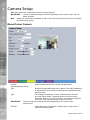
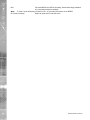
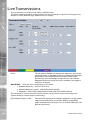
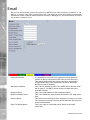
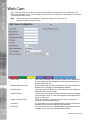
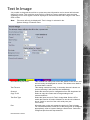
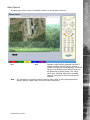
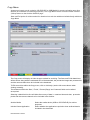
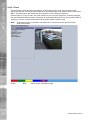
Any of the video inputs on the unit can be made available for transmission to a webserver via a
designated webcam server. These images can then be incorporated into a web page and accessed
via a standard web browser.
Note: This menu will only be displayed if ‘Webcam Support’ is selected in the
System Settings->Features menu.
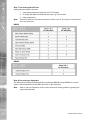
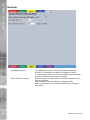
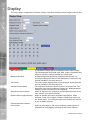
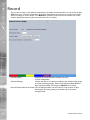
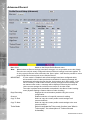
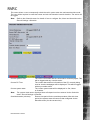
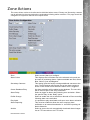
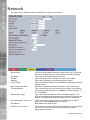
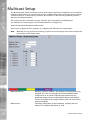
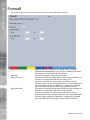
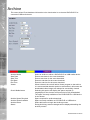
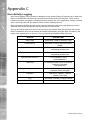
Server URL
Disable ICMP Discovery
Root Directory
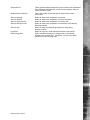
Image Directory
Image Filename Prefix
Username
Password
114
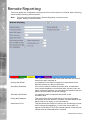
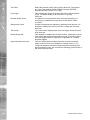
This is the IP address, URL or Domain Name of the WEBCAM
Server. Images will be uploaded from the unit to this server at
specified time intervals.
When enabled, the unit will not attempt to ‘Ping’ the configured
webserver but will begin immeadiate data transfer.
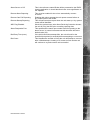
This is the main/root directory on the webcam server where the
image directory will be located.
This directory will be created when the initial image is uploaded
to the webcam server, it is the directory where all images will be
saved on the server.
This is an identifier for images sent from the unit and will be stored as a prefix to the file name.
If it is necessary to use an authentication process to access the
webcam server, enter the relevant username here.
If it is necessary to use an authentication process to access the
webcam server, enter the relevant password here.
Dedicated Micros ©2010