1
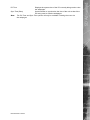
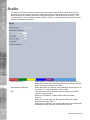
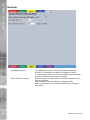
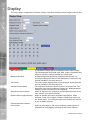
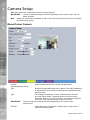
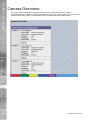
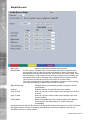
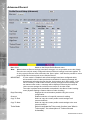
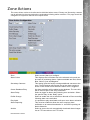
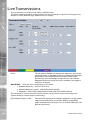
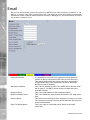
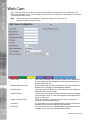
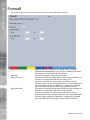
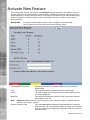
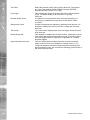
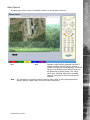
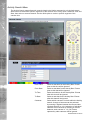
If a telemetry camera has been assigned a preset position, select
the chosen preset position here. Also enter the time period (in
minutes) of inactivity which will result in the camera moving to
its preset position. Refer to Viewer menus->Program Page for
guidance on assigning camera presets.
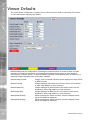
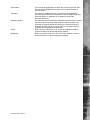
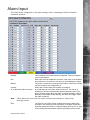
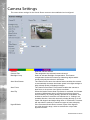
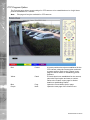
Colour
Select a colour value from -8 to +8 via the slidebar or enter a
number directly into the accompanying textbox.
Brightness
Select a contrast value from -8 to +8 via the slidebar or enter a
number directly into the accompanying textbox.
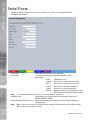
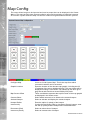
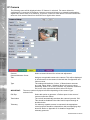
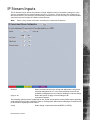
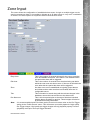
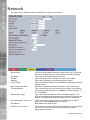
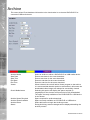
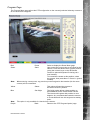
IP Type
Select the type of NetVu Connected source the camera stream is
originating from. Select from:
‘NetVu Server’ - i.e. DVIP Server, DVIP RT, SD,
SD Advanced, EcoSense.
‘NetVu Gen 2’ - i.e. DS2, BX2.
NetVu Camera’ - i.e. the CamVu 2000 from Dedicated Micros.
‘NetVu ANPR’ - i.e. the HyperSense ANPR camera from Dedicated Micros.
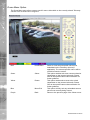
IP Mode
Select the IP mode used to receive incoming IP data. Select from:
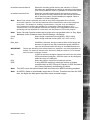
Simple Stream - Received IP streams are non-compressed and are viewed as configured on the originating source.
Recode Stream - When selected, the unit will recompress the incoming IP stream to the record profile settings established for this camera channel in the Profile Record menu
(Record Settings->Profile Record). This feature is only accessable with 3rd party
IP camera when the 3rd party IP camera license has been enabled.
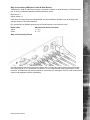
Remote codec When selected, the unit will utilise the codec in the remote NetVu connected video server/camera as if it was directly
connected inside the DVR. Thus the user can change Multimode profiles and
perform additional activities such as VMD
and Activity Detection as if the codec was an integral part of the DVR. If ‘Remote codec’ is selected, the loading on the unit’s
internal codecs will be reduced.
IMPORTANT: The Remote codec option is only applicable for NetVu Connected cameras.
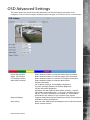
SD Advanced
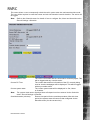
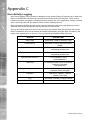
Default to preset
Note: Additional IP cameras ( further to existing local camera channels) are remote codec only.
Therefore any NetVu connected cameras will be applied above local camera level.
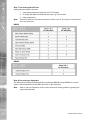
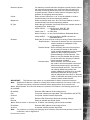
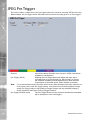
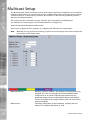
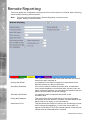
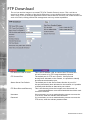
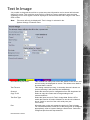
When ‘Simple Stream’ and ‘Recode Stream’ are selected via ‘IP Mode’, the following options will
be available:
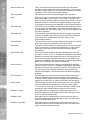
IP Address
Enter the URL address of the image source.
Port
If required, edit the port input data. This will default to 80 (HTTP).
Channel
If required, edit the channel input data.
PPS
Edit the PPS (Pictures per Second) recording settings.
Recode
Select to activate the recode option.
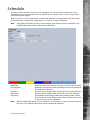
When ‘Remote Codec’ is selected via ‘IP Mode’, the following options will be available:
IP Address
Enter the URL address of the image source.
Channel
If required, edit the channel input data.
Note: For guidance on locating and changing an IP cameras username and password via an FTP
connection; refer to Appendix F.
Dedicated Micros ©2010
63