1
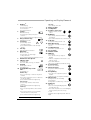
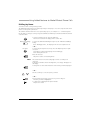
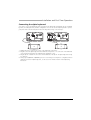
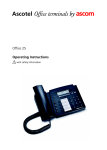
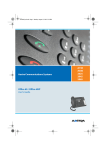
Operating and Display Elements
1
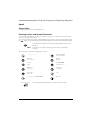
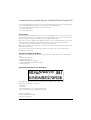
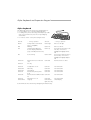
Display 1)
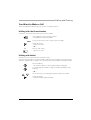
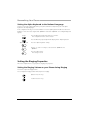
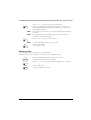
Line key:
• press briefly: Seize line
• A: List display
• B: Status line / symbols
• C: Information
• D: Foxkey functions
2
11 Write-on label
12 Loudspeaker
13 Volume / cursor keys
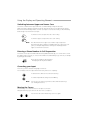
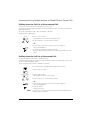
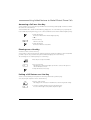
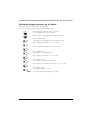
Foxkey
Multifunction key:
• press briefly: Activates allocated
function
• press and hold down: Configures Foxkey
3
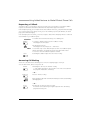
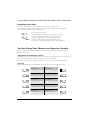
Entry-Selection key
4
Scroll keys
Info key
Menu key
Menu access key
• press briefly: Scrolls through
Foxkey functions
• press and hold down: Configuration mode
Hands-free microphone
Indicator LED
• Flashing: Call
• Lit: Voice Mail, message, or callback
9
Keypad
Enters digits or letters
(with Alpha key)
16 Microphone key
Hands-free or handset microphone
off / on
17 Loudspeaker key
Hands-free operation on / off
Calls up further information
7
8
• press briefly: Retrieves numbers
last dialled
• press and hold down: List of answered calls
Locks phone with personal code
• press briefly: Scrolls
through list entries
• press and hold down: Scrolls through
displays
6
14 Redialkey
15 Code key
Highlights list entries
5
• Adjusts volume, moves
cursor
18 Hook switch
19 Handset cradle
20 END key
press briefly:
• In a call: Disconnects, ready for
dialling
• Menu / configuration: Goes back 1 step
without saving
press and hold down:
• Goes into standby mode without saving
21 Correction key
☛
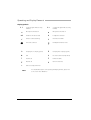
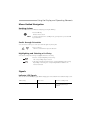
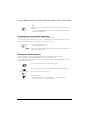
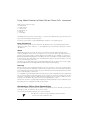
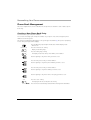
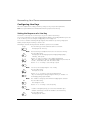
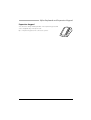
10 Configurable keys with
LED
Configurable as:
Number key:
• Press once briefly: 1. Retrieves the phone
number
• Press twice in quick succession: 2. Retrieves
the phone number
• press and hold down: Configures key
Function key:
• press briefly: Activates / deactivates
function
• press and hold down: Configures key
Team key:
• Press once briefly: Makes call or answers
call
• Press twice in quick succession: Makes
announcement to team partner
• press and hold down: Configures key
Deletes last character
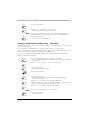
22 Phone book key
Lists phone numbers in private
phone book
23 Notepad key
• In a call: Stores call partner's phone
number
• Idle state: Lists stored phone numbers
24 Absence key
Configured for call forwarding
unconditional
Configurable as number key or function key
25 Alpha key
Idle state:
• Press once briefly: Dialling by name
in all phone books
• Press twice in quick succession: Dialling by
name in private phone book only
To edit:
Toggles between digit input and character
input
1) Illuminated display on 45pro
3