1
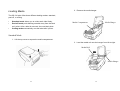
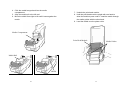
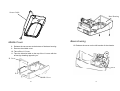
10. Trim the front edge of the label backing paper with
scissors or a knife.
11. Lead the backing paper over the dispenser bar, then
thread it back into the slot between the dispenser bar and
H cover, ensuring that it is inserted between the white
plastic roller and platen roller.
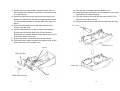
12. Press the "FEED" button for the label backing paper to
come out from the slot under the H cover.
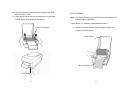
13. To remove any slack, rewind the media onto the roll.
Press down the print head module firmly.
H Cover
Media Guides
Feed Button
H Cover
Dispenser Bar
Slot
14. Close the top cover and turn on the printer or press the
"FEED" button if the printer is already on.
20
21