1
Troubleshooting
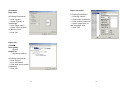
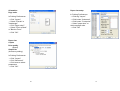
Create a custom size
Normally, when the printer is in not working properly, the "Power"
LED blinks continuously; while printing and communication
between the host and printer stops.
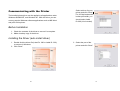
In the Printers menu:
→ Right click
→ Select "Server
Properties"
→ Enter a “Form name”
→ Reset paper size
in the "Form description"
→ Click "OK"
LED Diagnosis
Power and Ready LEDs blinking continuously indicates printer
errors. To understand the problem, please observe the Power
and Ready LEDs and refer to the following solutions:
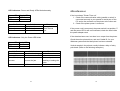
LED Indicators: Power and Ready LEDs blink at the same tempo
Power LED
ON
OFF
Ready LED
ON
OFF
Possible Problems
Solutions
Remarks
Miss-detect gap
Check the label path
If you use a
Check the label sensor continuous label roll
and run under
Windows, select
continuous media.
Label stock out
Supply the label roll
Label stock not
Install the label roll
installed
Label jam
Recover the jam
52
53